
Let's finally build a new PC
Recently I assembled a new PC. I figured I would take the opportunity to write a bit about how that came to be, as well as reminisce about the good old times, because as my last upgrade has been about 8 years ago, and I think it’s quite an interesting story altogether.
Let’s go back to the beginning: the Big Bang. Many billions later Sinclair would invent the C5 and some years after that I was born, though it would take another 13 years before I would build my first PC, and buy most of the setup I was running until recently. My PC is one of my most important tools (I am writing this blog post on it for example), and as much as I like tinkering with it, it also needs to work, much like my phone and my car. I don’t tend to replace parts that still do what they are supposed to do. For example, I used my Logitech G110 keyboard for about 15 years because it did not want to break. When the Das Keyboard 4 came out in 2014 I had always told myself that I was going to get myself a mechanical keyboard once my G110 would stop working properly. Only a few months ago I decided that I was no longer going to wait for that, and I bought myself a second-hand mechanical keyboard — the Das Keyboard 4 with Cherry MX Brown switches to be precise. The price second-hand was low enough that I was willing to risk it. I’m quite content with it (especially because it is a full-size mechanical keyboard, I never understood why so many mechanical keyboards come without a numpad), but I don’t think I am now going to become a collector of mechanical keyboards or a big modder, though the fact I can easily change the keycaps is nice.
Anyway, back to my computer. Over the last year or so, I started to notice that my PC was getting more and more issues. Programs would no longer runs smoothly, things would stutter, the USB ports on the front were finicky (and some better left unused), sleep mode would cause audio glitches, and a couple of other things. All these things did not happen all at once, but developed slowly over time. None of them single-handedly reason to replace things, but cumulatively it was getting closer to that point. Another factor was the announcement that Windows 10 would be end of life in October 2025. Now as is always the case, that deadline will be extended (the announcement that one can buy extra support was already made, but I have an inkling free extra support will be extended as well). I have nothing against Windows 11, but my hardware was not officially supported. I figured I had reached the threshold to look for new hardware.
Now a quick sidestep on why I run Windows, as given my background a lot of people seem to assume I run Linux. I do run Linux on my work laptop, and whilst it works fine for the most part, it is also clear that it is not the year of Linux on the desktop just yet. Or, to quote a wise man: “People don’t use an operating system, people use programs”. This man happens to be Linus Torvalds, and the quote is from Revolution OS, a documentary about Linux. As many likely already know, I have a simracing setup, and getting that working on Linux would be a real challenge. Sure, you may be able to get it working eventually, but that is not something I want to have to deal with. Additionally, Windows is miles ahead when it comes to things like fractional scaling, or making sure the UI stays responsive when a program in the background is doing a lot of processing. Also tools like Affinity Design and Affinity Photo are not available on Linux. The main tools I miss on Windows that are available on Linux are command-line based, and with Windows Subsystem for Linux, I can even use those fairly effortlessly. That is a really nice project.
Mind you, just like it isn’t the year of Linux on the desktop, using Windows on a server also never felt right. Back in the day I used to do sysadmin work for my local city broadcaster. Part of that was managing some Windows domain controllers. Setting up an RDP session with a domain controller, trying to find the start menu on Windows Server 2012, which decided to use the same start menu as Windows 8 (you know, the one that was made for tablets and required you to hover in the bottom left corner), clicking around the dozen interestingly translated interfaces… Yeah Linux is a breeze in comparison, though I’m sure it’s better now than it was back then (or at least I hope). One of my favourites was the fact that group policies were translated to Dutch, but still sorted according to their original English text. Fun fact: this is still quite common in language selection menus, and once you know you will notice it everywhere, and it might help you find your language quicker. Anyway, I am two digressions deep now, so let’s get back on track.
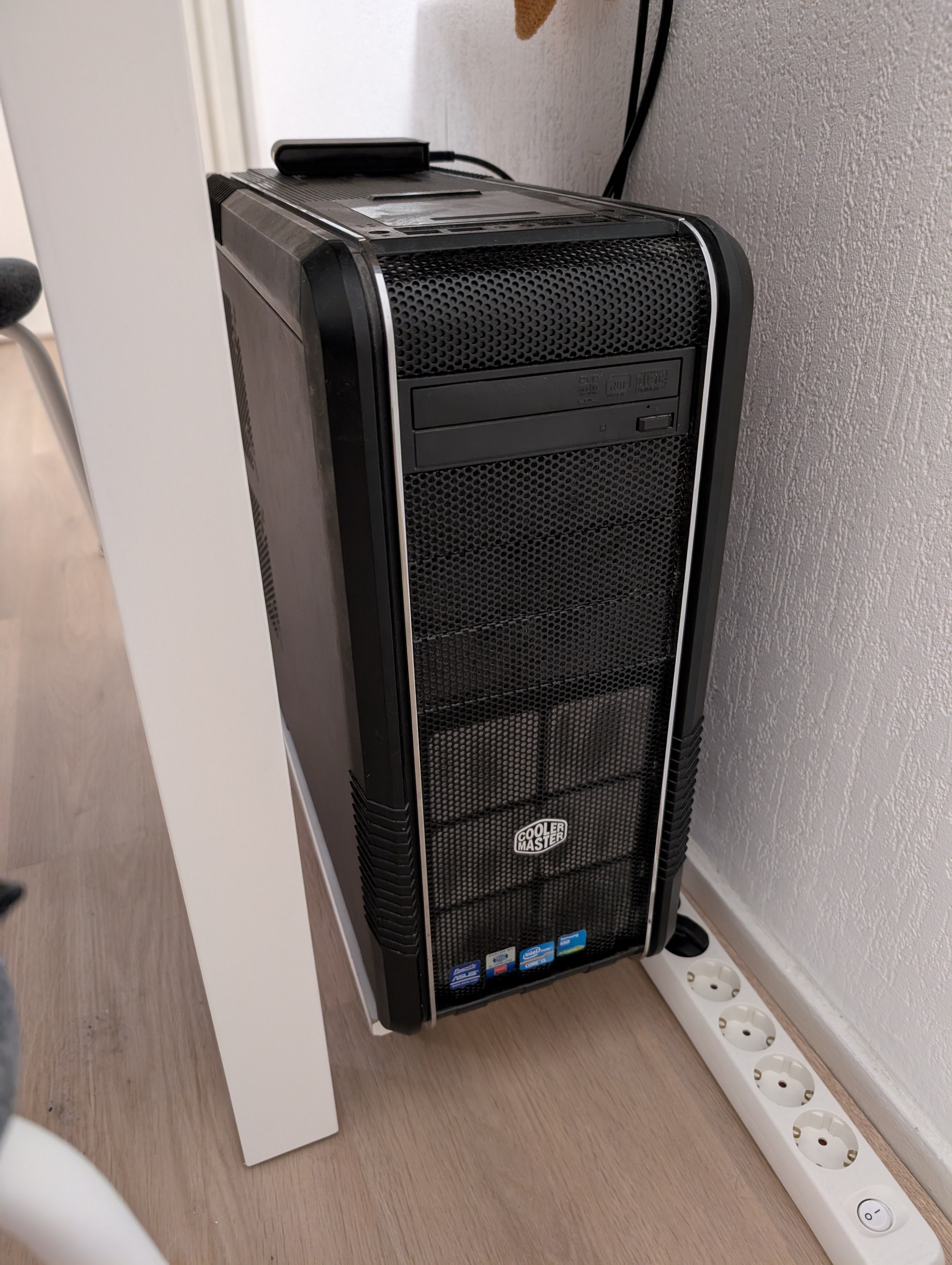
Windows 10 was nearing the end of support, my PC had seen its best, and my hardware was starting to wear out. The first thing I did was see which parts needed upgrading. I have upgraded parts of my PC a couple of times already. To paint a picture, I was running on an Intel i5 9600K, 32 GB DDR4 RAM, and a GTX 1080 Ti — those were not the original parts I used when I first assembled my PC in 2012. My first self-built PC I built (or to be precise, had built for me) contained an Intel i5 3570K, 8 GB of DDR3 RAM, and an AMD Radeon HD 7850. Over time many parts have been replaced many times — I upgraded to 16 GB of RAM, I replaced the graphics card with an AMD Radeon R9 290, added an SSD (yes, originally I did not have one), added a bigger SSD, replaced the hard drives, replaced the PSU several times (once because it died, other times because it was insufficient). That GTX 1080 Ti is the last change I made to it, which must have been around 7 years ago. One of the few things that have always stayed the same were the case and the optical drive.
Fun fact, the stickers on the front are those of the original parts (except for the Samsung SSD one, that one was added when I bought my SSD). Even though it no longer contains those parts, I still liked having the stickers on the front as a reminder. It even got to the point that with all the parts I had replaced over the years I could rebuild my old PC, just in a new case. I decided to do just that. That PC also sits under my desk, although is mostly doing nothing — I only use it for when I need a bare metal Linux machine for one reason or another, like firing off many TCP requests to show that if one 13 year old machine can bring down your service that is critical for routing security, it may not be the best choice for resilience… but others have disagreed even after the demonstration, so I will leave it at that :-)
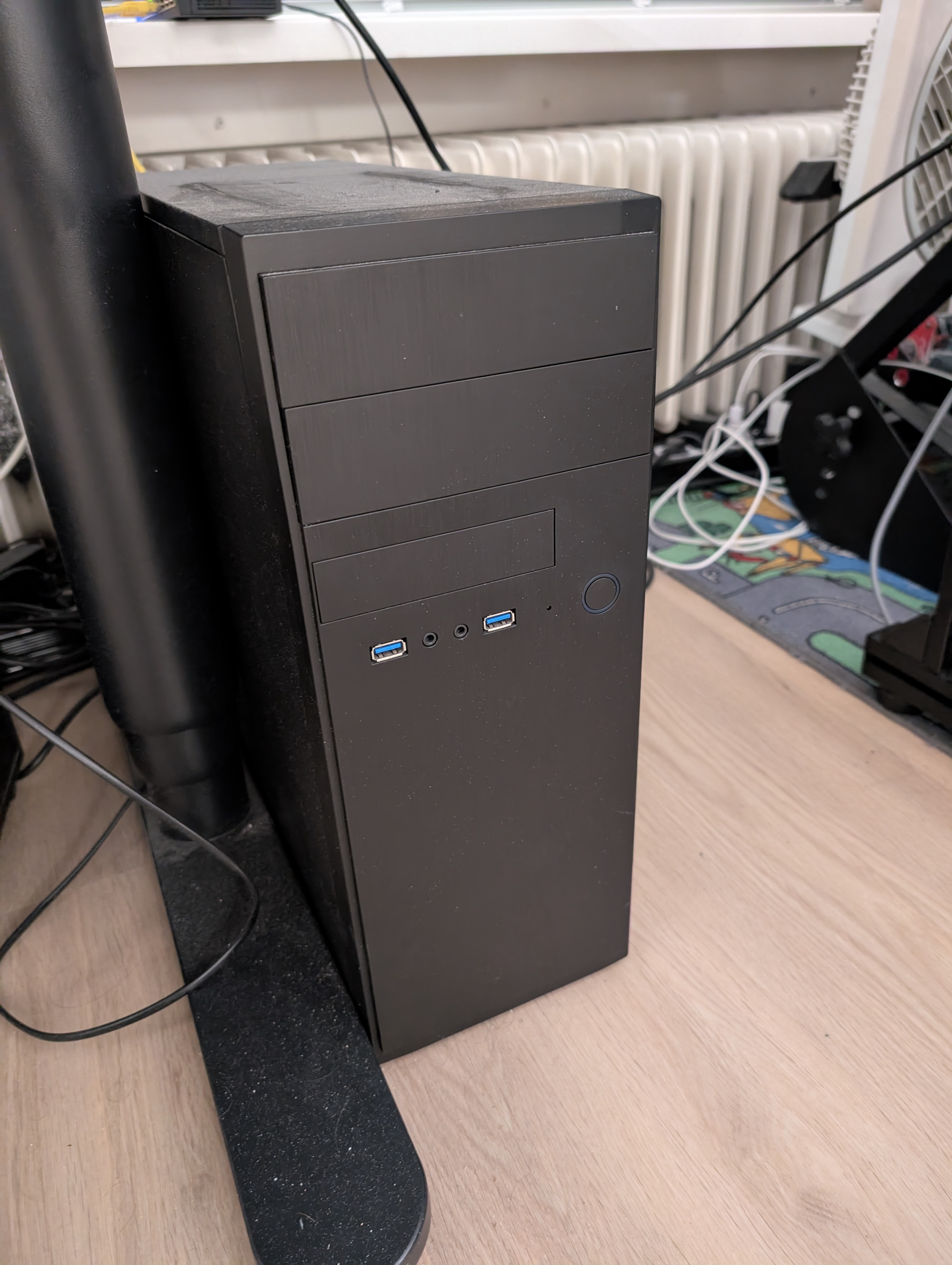
Anyway, I quickly realised that there were effectively no parts I wanted to take with me to a new PC (except for the hard drives and optical drive), and that I would be building an entire new PC. The USB ports on the case were not great any more, and I also felt like a new case would be nice regardless — even cases have changed quite a bit in 13 years. I still was not entirely sure whether I wanted to build it myself, but one thing I did know is that I did not want a prebuilt. I know too well what I want (and don’t want) to buy a prebuilt PC where the parts don’t quite line up with what I want. And that meant looking for parts.
I had been procrastinating that picking parts for quite some time. When I bought my GTX 1080 Ti, I did so when its successor — the RTX 20-series — was just announced. It allowed me to buy it at quite a discount. I figured I might as well do that again (admittedly that was also just a nice excuse to it later), so I waited for the announcement of the RTX 50-series. Well, that went wrong. Apart from the announcement not being terribly impressive, new stock was limited while old stock was already depleted, resulting in prices skyrocketing. Clearly I had to wait a few months for prices to become reasonable again.
Even though I like software, many people are surprised to learn I do not go jumping up and down with joy when it comes to a new PC. I have nothing against building computers per se — for me a PC is a tool, and something I would like to “just work”. When I was younger I would customise my PCs (at least software-wise) until they were unrecognisable and barely functioning. I stopped doing that quite some time ago.
As I was trying to decide on parts, I noticed that a lot had changed. I was used to just buying the best Intel i5 processor on the market. I knew that Intel had gone downhill, and that their latest generations were having a lot of issues — that I had read in the news, and my searches confirmed that. Shame, really, but also a good reminder things can quite quickly change. I had no idea what any of the new AMD Ryzen names meant. Finding an answer to that was more difficult than I expected. I was used to only Intel being relevant and just picking between the i3, i5, and i7 (last time I checked AMD they made the Bulldozer processor, the FX 8350, which was great if you needed many cores, but had some other downsides).
I now understand it as following: Ryzen is the name, after that is a number, 5, 7, or 9, which is like the i3, i5, i7 the “class” the CPU belongs to, 5 being normal users, 7 “prosumers”, and 9 professional users with specific use cases (it mainly has more cores than the 7). Then the four numbers after that identify the generation (9xxx being the newest), then the model type (e.g. x800), then the special features (e.g. X, or X3D, where X3D means it has 3D V-Cache technology, which sounds very impressive, but just means a larger L3 cache). If you look online you find a lot of other schemes as well how those numbers supposedly work, but those do not match the CPU I ended up with, the AMD Ryzen 7 9800X3D. Needless to say, I think those numbers are a bit of a mess and could be a lot clearer. Comparisons with my current processor are difficult, as my hardware was generally too old to be considered for any comparisons. All of them would be an improvement, but how do I interpret those numbers? 100% faster and 150% faster at some point just become “much faster”. In the end I just picked something I knew would be fine, and probably slightly overkill.
By the way, it would not be my first AMD processor — before my Intel i5 3570K I used to have an AMD Athlon X2. The i5 was a real upgrade, because it had double the amount of cores of my Athlon (4 instead of 2), and all of those cores were a lot faster too. Mind you, that Athlon was a real upgrade from my Pentium 4 too, and also double the amount of cores. My second i5 had six cores, which is a bit of a shame, because now the development is 1 → 2 → 4 → 6 → 16 (well, 8 cores and 8 threads). Another metric I used to decide on a CPU was “what processor can I get for €X?”. I quickly found out that no longer works because in my mind processors are still the prices from 2012. Turns out prices have increased quite a bit since ten years ago. Also, as strangely as it sounds, I did not really have a budget per se. My PC is one of my most important tools, and I’m happy to spend a bit more on it if that means I do not get annoyed by it, especially as it is a lot of money anyway, and thus the difference in price is relatively small. What is €100 more over the course of 8 years?
One of the other reasons the difference in price for processors is relatively small is the graphics card. I had been wanting a new graphics card for quite some time, as I noticed more recent games had started to stutter: my graphics card could not keep up. Especially things like Microsoft Flight Simulator in virtual reality were sometimes a bit of a nauseating experience when it would constantly stutter. Luckily the numbering is still more or less the same as when I bought my GTX 1080 Ti, although the choice was far greater now. One of the main changes is that it feels like the higher segment is far broader now. The RTX 5090 (which has a suggested retail price of ~€2300) has a lot of power I do not know what you would use it for, except maybe AI. For games it is definitely overkill, even on a 4K monitor. Anyway, I spent €650 on the, back then, top of the line GTX 1080 Ti. That amount of money leaves you in the lower segment nowadays. I ended up settling for an RTX 5080 for ~€1000. I have no compelling reasons why not an RTX 5070 Ti, in the end I just decided that it was probably overkill, and definitely good enough — no matter what I picked it would be a chunk of money anyway. The price of the GPU makes the CPU relatively cheap.
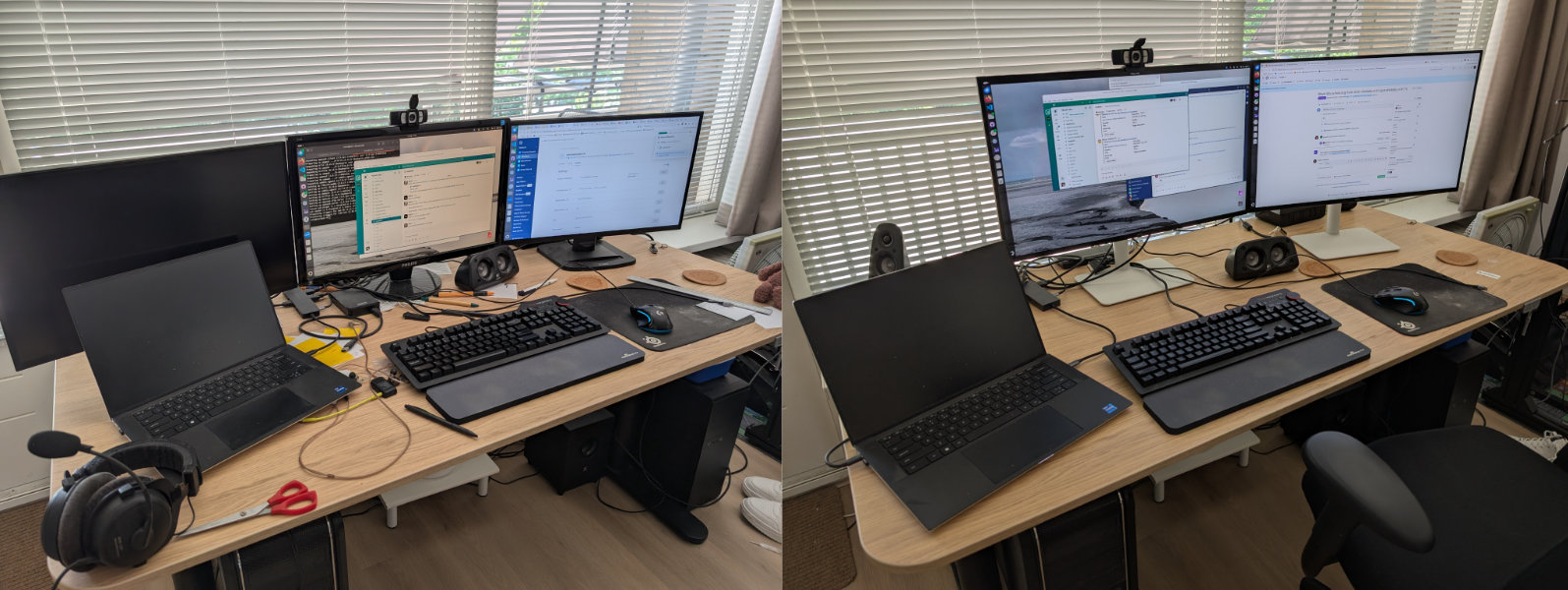
One of the things I noticed when looking for graphics cards is that most of them only had four ports, most of the time 3× DisplayPort and 1× HDMI. My GTX 1080 Ti had five ports (3× DisplayPort, 1× HDMI, and 1× DVI), and I was using all of them. Three for the monitors on my desk, one for my simracing setup, and one for VR. I had had the idea to upgrade my monitors for a long time as well — my oldest monitor still has a “Windows 7 compatible” sticker on it (whatever that means, it’s a monitor), and is now around 15 years old. I started looking into what it would cost to replace those three monitors on my desk with two new ones, as graphics cards with five ports would cost around €400 more for the same performance. There were three reasons I wanted to upgrade my monitors already anyway: 1) I noticed that when working from home on my laptop, I would only use two monitors anyway, so it made sense to go back from three to two monitors. My original reason for three monitors was simracing, but I had a separate setup for that now; 2) the maximum brightness on my middle and oldest monitor was rather low, making it very difficult to see when the sun was shining. The contrast (pun intended) with my laptop was vast, and 3) in the office I used a 4K monitor, and even though I did not need three monitors (as I would mostly focus on two at a time anyway), having the extra space of a 4K monitor was a welcome addition.
So I briefly interrupted my search for PC parts to look for new monitors. Mainly to see how expensive that would be. I was pleasantly surprised. I won’t say they are cheap, but I found a 27” Dell 4K 120 Hz IPS monitor (the Dell S2725QS) for €270 each. I think that is really quite affordable, especially compared to what I was expecting for 4K and 120 Hz. I wasn’t looking for the latter, but it is a nice addition. I ordered those monitors surprisingly quickly, especially for how long I normally spend on making these kinds of decisions. This is the before and after:
The monitors themselves were pretty smooth sailing, but the things around it were not. I use my Dell XPS 15 9520 for work. It supports external monitors and hubs via USB-C. I bought a new hub to connect my two monitors to, so I could use one hub to connect the monitors to my laptop. The hub said it was compatible with my laptop, so obviously it… didn’t work. USB-C is a mirage of different protocols (apparently the ports on the left of my laptop support something other than the port on the right, and you can only find that deep in the documentation), and things-that-should-work-but-do-not. I bought a USB-C to DisplayPort cable, which… did not work. I bought an HDMI to DisplayPort cable, which also did not work. I managed to get the monitors working with two hubs, one monitor connected to each hub. Not ideal, but it worked. I was ready to send all the non-functioning parts back, but decided to give it one more try.
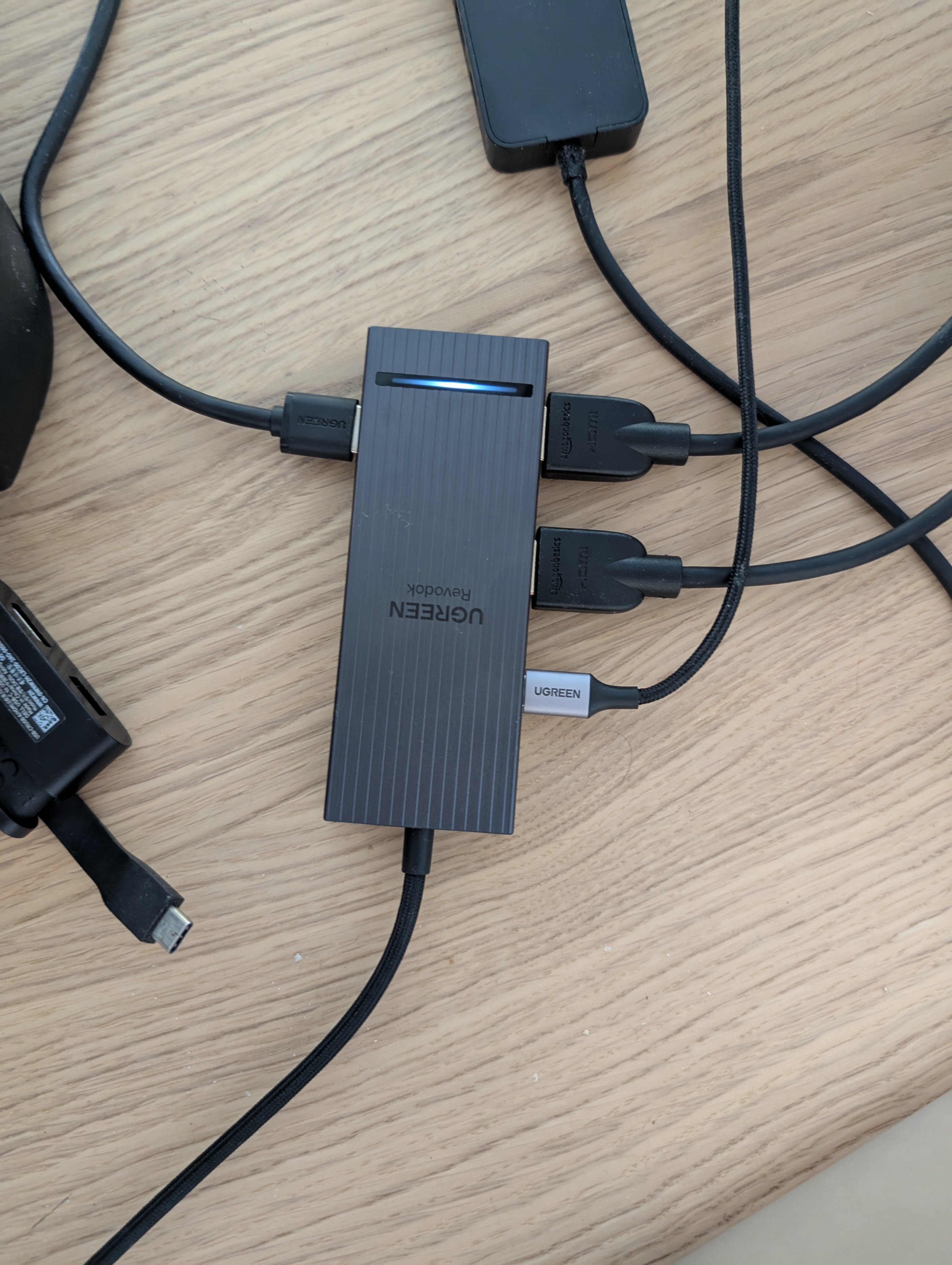
Apparently my new UGREEN USB-C hub that claims to support 2× 4K at 120 Hz over HDMI does not support that, but only one monitor at 4K at 120 Hz, but it does support 2× 1440p at 60 Hz. This is not documented anywhere, I found this out using trial and error. Increasing the resolution or refresh rate would cause a black screen. Admittedly this was fine, I would run it at 1440p anyway, because fractional scaling in Ubuntu is still not great, and 4K at 100% scaling is too small for my liking. The 60 Hz is a bit of a shame, but I have never been the person to really care about the 60 Hz vs 120 Hz difference. I never really noticed the 120 Hz on my ultrawide for my simracing setup, and this was mainly for documents, programming, and email, not something that really benefits from a high refresh rate. Plus, I was very happy that it would work with just one cable, because that was a lot simpler and neater.
Anyway, back to parts. Slowly but surely I had settled on a CPU and graphics card. A lot of other components were a lot simpler, for example I knew I wanted 64 GB of RAM (or actually 128 GB, but then I saw the prices and decided against it). One of the parts that was a difficult choice was the case. I had been reusing my first case from 2012, and it turns out new cases are quite different from cases back then. For example, space for a hard drive is no longer a given — my old case had space for six or seven, and one space for a 2.5” SSD, which was already quite modern at the time. Nowadays with NVMe SSDs you no longer even need space for those. My main SSD in my new PC is an NVMe SSD as well.
Initially I was also looking for a case that would still accommodate an optical drive. I don’t use it often, but it is annoying to not have one when you need one. I actually found a case that met all those requirements, was affordable, and did not look like a fun fair with large glass panes and RGB lighting. It was a nice, sleek, black case with a small orange highlight. It had the ports on the front that I wanted (namely headset and USB, because even though PC cases are still massive apparently having usable ports on the front has become a novelty — I guess they expect you to connect USB devices via The Cloud® now too or something). Anyway, it was not fully bland, but not something that terribly stands out either. It did have a window, and even though I would rather not have one (because my PC is under my desk on the left, which makes the window rather pointless as it is on the wrong side, plus it requires me to do neat cable management), but I could live with that. It was the be quiet! Pure Base 600, for those interested.
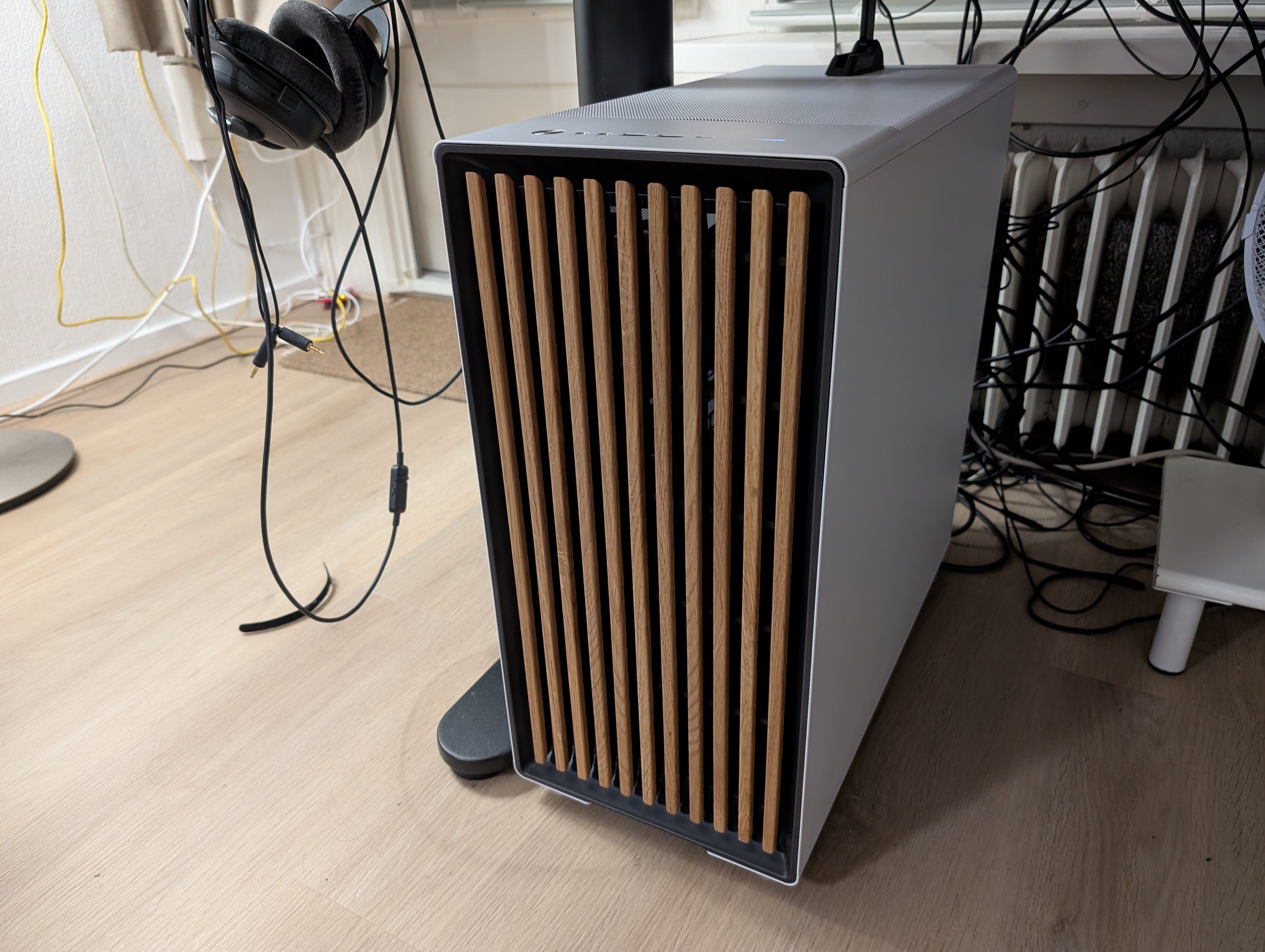
Case closed, until I decided to check that my graphics card would fit, and found out it would not. Those things have become huge too. I ended up looking for another case, and ended up going for the Fractal Design North XL that you can see in the opening picture. I saw it before, but decided to give the white case a closer look. I was a bit hesitant to look at white cases, because that generally only looks good with white components (my white GTX 1080 Ti stood out a bit in my old black case), but because the inside was still black, and there was no window, that was not an issue. I did previously look at the black one, but the gold accents were not really my taste. I liked the wood touch (though I wonder how well it will age — time will tell I guess), and decided I could live without optical drive and I could always buy a USB one. I also thought it would look good in my living room. Funnily enough that was never a consideration for my old case, but I have reached the point in life where it does. I also recently bought a small storage container to store my batteries, I keep my used bread bags in a bread bag (because they might be useful later!), and I felt intense satisfaction by how smoothly the freezer drawers moved in and out after I defrosted it last week. Different phase of life I guess, maybe I will go for RGB again when I reach my midlife crisis :-)
In the meantime another “computer” in my home started complaining: My Home Assistant started notifying me that the Raspberry Pi 2 it was running on would no longer be a supported platform starting from 2026, because it runs on a 32-bit ARM architecture. I do not blame the Home Assistant developers for that decision, but it was still annoying. My Raspberry Pi 2 was not quick (far from), but it was fast enough. It did the job. I again halted my PC part quest to look for a replacement for my Raspberry Pi. I always liked the Raspberry Pi as a cheap, simple, and low-power computer. It seems however that with later Raspberry Pi versions, and especially the 5, they completely removed themselves from that. The new Raspberry Pi 5 is, everything together, around €100. That is no longer “if this breaks it’s a shame but not a big deal” territory to me. It seems like it wants to be a serious computer. The specs show that too: 4 cores, up to 16 GB RAM… this was supposed to be a cheap computer. The power usage is also several times that of my Raspberry Pi 2. I find that a bit of a shame. I am not saying the Raspberry Pi 5 is not a good computer, on the contrary, it is too good as a computer. It is cheaper to buy a second-hand thin client than to buy a new Raspberry Pi, which seems to be against its original purpose. However, this digression quickly resolved itself when a colleague still had a Raspberry Pi 4 left over — sometimes solutions really are that simple. Home Assistant now happily runs on that.
Anyway, back to the new PC. I was slowly converging on the final parts list. With some small adjustments from the wisdom of the crowd (e.g. a better PSU for the same price, and a different motherboard with more USB ports) and small changes based on availability, I was almost ready to order. One of the things I did still have to decide on was whether I was going to build it myself or have it built for me. I can build a PC just fine, but with new parts, especially expensive parts, I was really tempted to spend the extra money to have someone else do it for me. I wrote an email inquiring for the price. In the end I decided to build it myself — not due to the price, but because it would take ~2 weeks to get it built, and I thought that was too long. Surely I could manage to not mess this up, and worst case I could replace the part. These are the parts I settled on, along with their lowest prices in shops:
| Category | Product | Price |
| Processor | AMD Ryzen 7 9800X3D Boxed | € 449,- |
| Motherboard | ASUS ROG Strix B650E-F GAMING WIFI | € 197,- |
| Graphics card | MSI GeForce RTX 5080 16G VENTUS 3X OC PLUS | € 1 029,- |
| Case | Fractal Design North XL - Mesh Chalk White | € 165.99 |
| Processor cooling | Arctic Freezer 36 (Black) | € 30.67 |
| RAM | Kingston Fury Beast KF560C30BBEK2-64 | € 229.90 |
| PSU | be quiet! Pure Power 13 M 1000W | € 149.- |
| SSD | Lexar NM790 (without heatsink) 4TB | € 214.90 |
| Total price: | € 2 465.46 |
What I should add is that the motherboard came with a €25 “back to school” cashback. Now I wonder what kind of school-going person is going to spend €200 on a motherboard, but hey. I always fill those cashback forms out, partially for the money, but mostly out of spite. This cashback form, like many others, turned out to also be made so that as few people as possible would actually claim it. It was hidden from Google, the time the form was “open” was several weeks later than the actual cashback period, so you had to mark in your calendar to do the cashback, filling it out required far more information than really necessary, and oh, you had to confirm you were 18+, which most people in school I guess are not. Then they need about a month to process the cashback, because reasons.
After what is now many months I bit the bullet and ordered all the parts. I ordered them from one shop, which was slightly more expensive, but not by much (less than €100), and they were shipped in two boxes. Annoyingly one box was delayed, so on day one I only ended up with the case. It was a nice case, but still annoying that building would have to wait. Building ended up being quite fun: phone turned off, music in the background, just slowly bit by bit putting things together.
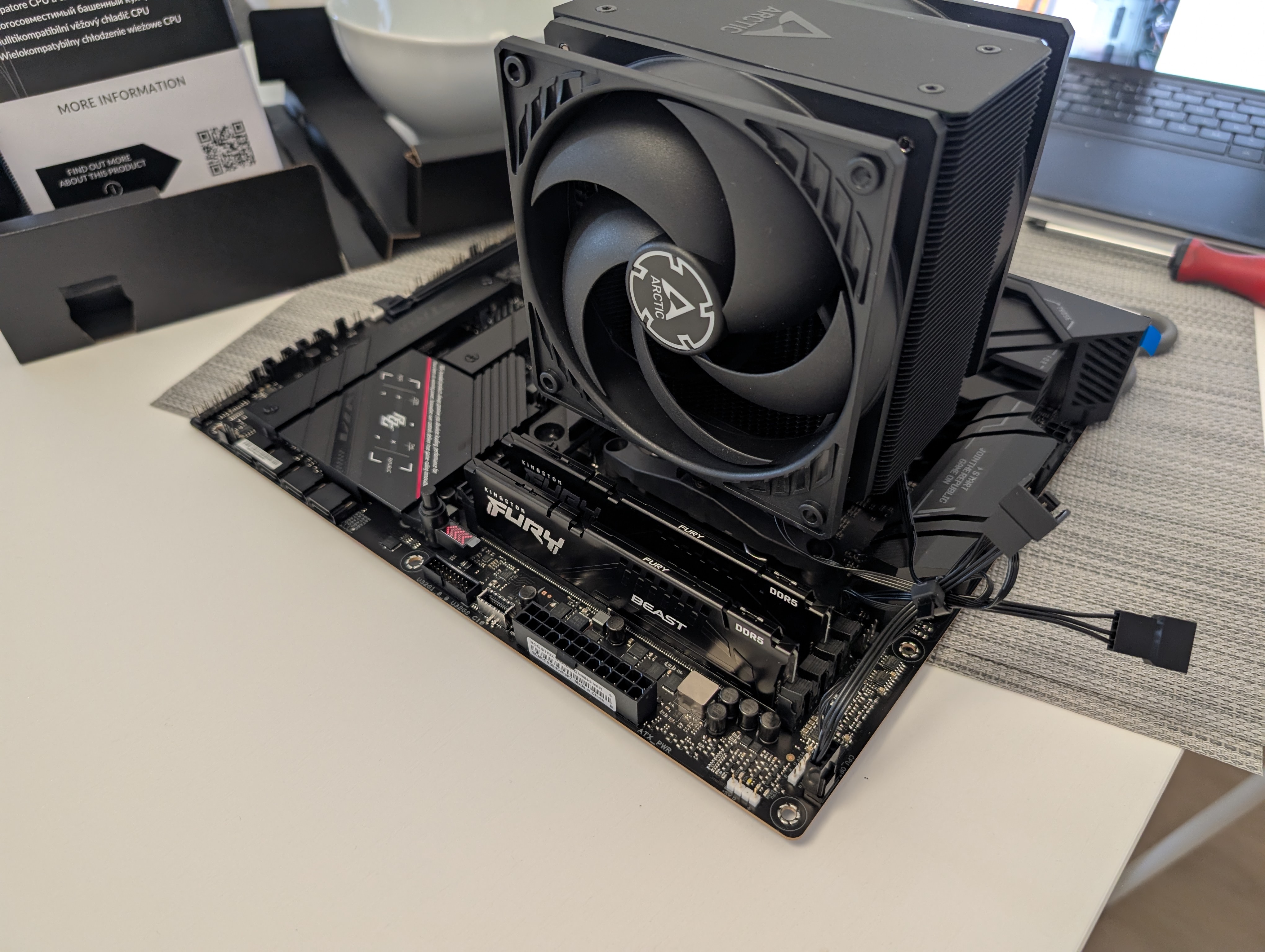
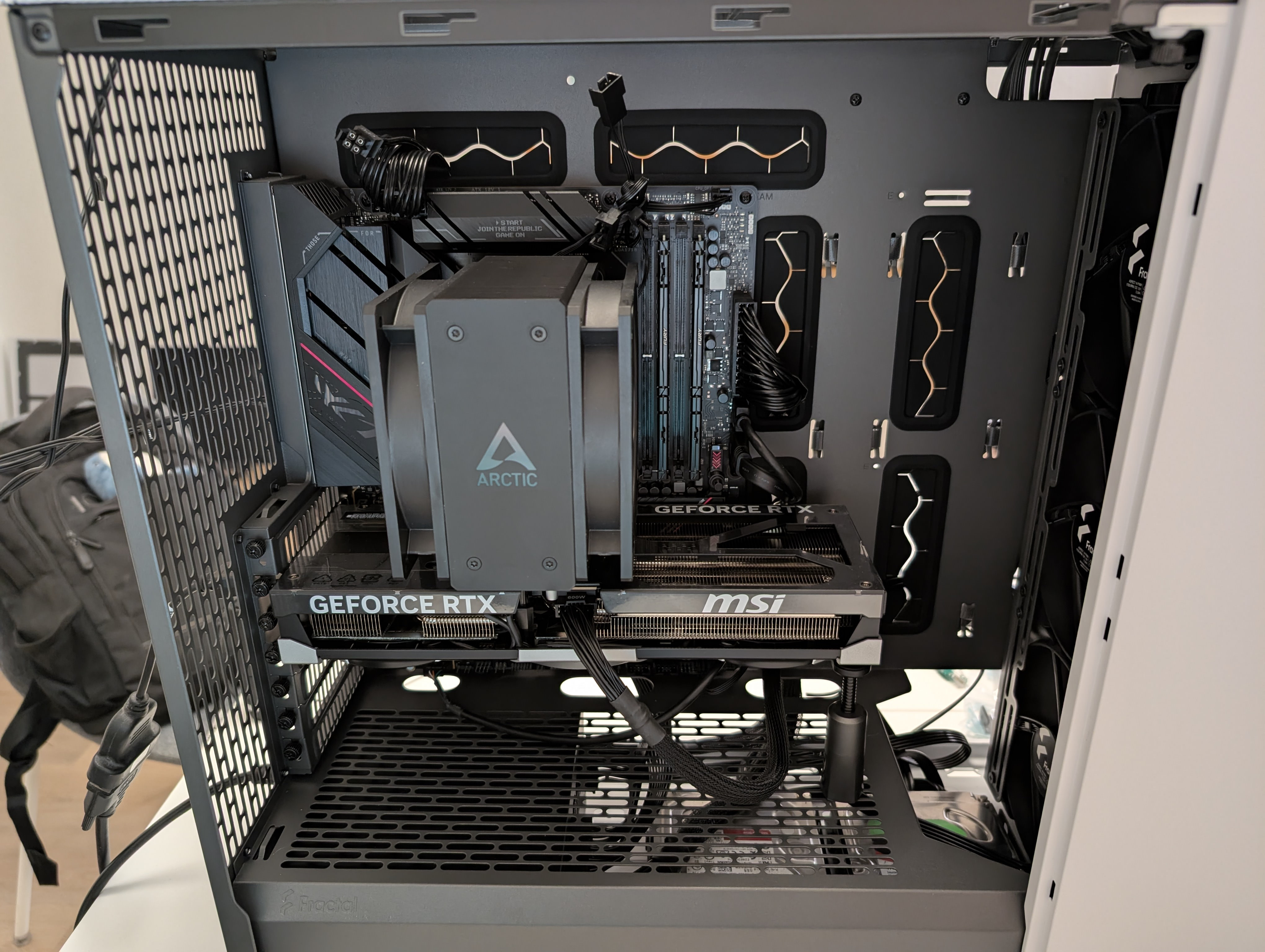
More building ensued, and everything was pretty smooth sailing. I only needed some extra time for the NVMe SSD (this was the first time I installed one), and the CPU fan (and which way it should point). I was also quite surprised how few cables there are in a modern PC: the graphics card is only one cable to the PSU nowadays rather than two or three, the NVMe SSD removes the SATA and power cable of the older style SSD. The front of the case does not have many ports and status lights, so not many cables there. The HDDs are mounted on the bottom and out of sight. It felt very empty inside, although I do not mind that. I almost regretted not having a window to show the neatness of my case (though it would still not be really visible under my desk). At some point comes the scary part: turning it on for the first time. Luckily all worked as it should.
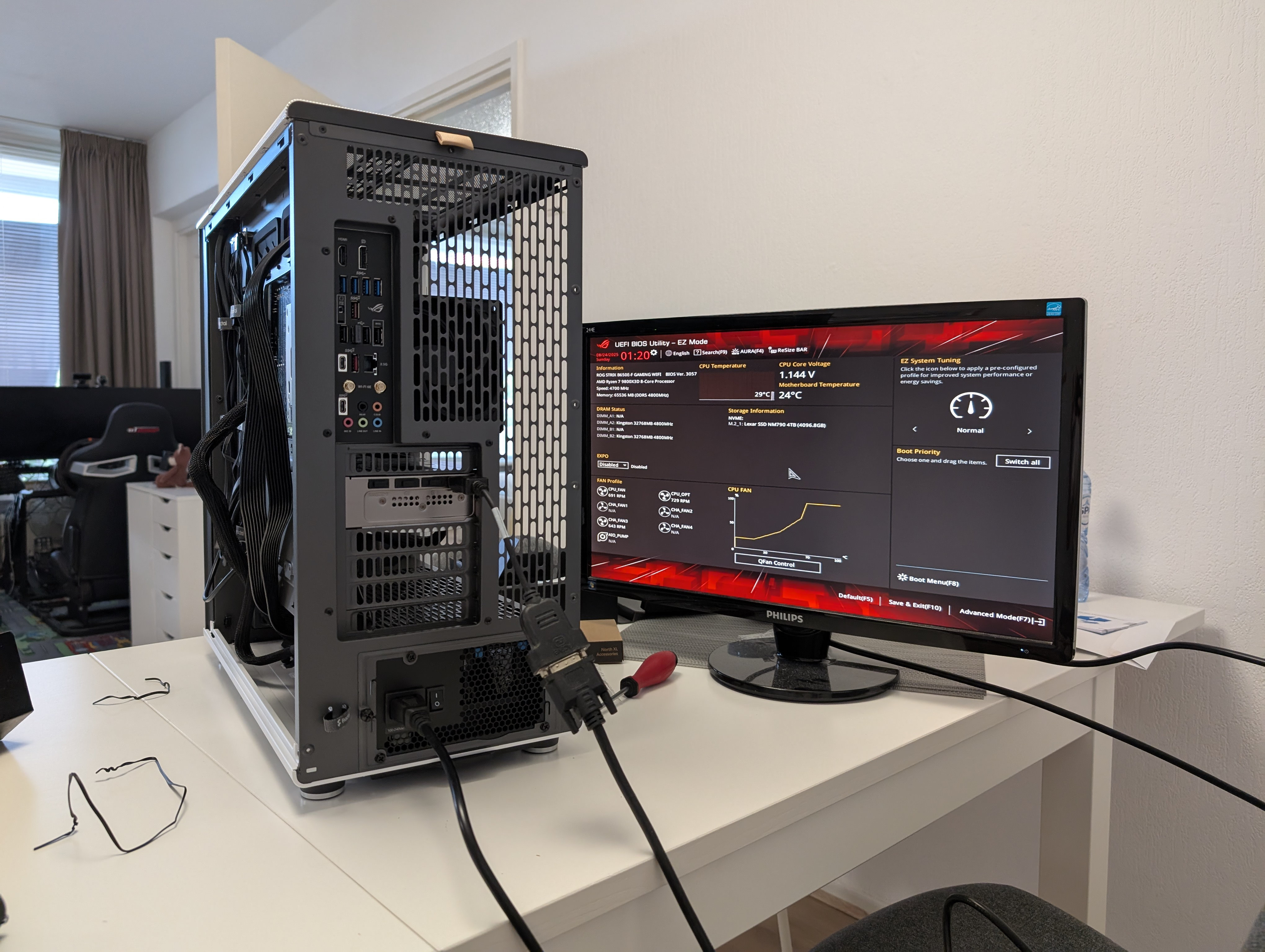
The building part is the quick part, setting everything up again in software was more work. I did do it systematically, with list of previously installed programs, moving over configurations, fixing file permissions, etc. It is still incredibly tedious though, especially when things do not work. Whilst it is pragmatic, it also is not really fun to do things that way. Frankly picking parts is stressful, because it is difficult to tell if they are the right parts, building it is stressful because if you break something it gets expensive, and reinstalling it is stressful, because even though I have backups (I have written about those and then once more), I still do not want the hassle of having to use them. But the end result is rewarding in all cases.
In many ways it is like moving house, but digitally. You move to a new place that is ultimately better, but the moving part is hardly fun. It is a lot of tedious waiting, being careful with the virtual Ming vase, and trying to get everything working the way it should (which some software is more finicky about than others). Especially because this move was not just to a new PC, but also from Windows 10 to 11, and it was a fresh install. I do not remember the last time I did a fresh install on my main machine, but it might have very well been 2012. It was a deliberate decision — my Windows installation had seen so much I did not think it was wise to bring it to a new system.
Windows 10 and 11 are very similar yet still different enough that it is annoying sometimes, especially when things don’t quite work, like my audio initially. Turns out it just needed a few restarts and the driver was working. Also the new right-click menu is not an improvement. I also ran into some things I ultimately did not initially remember setting up, like a lot of applications that wanted to notify me of everything. Plus there is always that lingering feeling “did I not forget something?”, and the running into all the issues later that you have with a new installation, like when I wanted to print something, and suddenly realising I never copied those printer profiles I set up a long time ago.
Not all issues have been fully solved yet: one of them was that Affinity Photo apparently corrupts the JPEG export with hardware acceleration turned on — something I found out whilst writing this blog post, and another was the fact that the Dutch keyboard layout (that I have never seen a single Dutch person use) was added again by default, which ironically can only be removed by adding the Dutch keyboard and then removing it. Just Windows things I guess. My right monitor does not wake up properly after it goes into sleep mode, and only works when I turn it off and on again (which is luckily easy enough to do, and Windows remembers where my windows were, that part works marvellously). Oh, and remember that backup thing I made for myself? Well, that broke again, because on my previous computer I disabled automatic sleep mode because it would break my audio, so I never took into account that it could go into sleep mode during the backup. Admittedly that was fully on me, though still annoying. I made a bodge for that that starts a program to prevent it from going into sleep mode. It works, but I probably want to replace it with something more permanent. Though this might very well become that one unpacked box after moving that I will always do later, but never end up doing. Speaking of the sleep mode — well, my network card kept waking up my machine a minute after it went to sleep. That took quite some time to figure out what was happening.
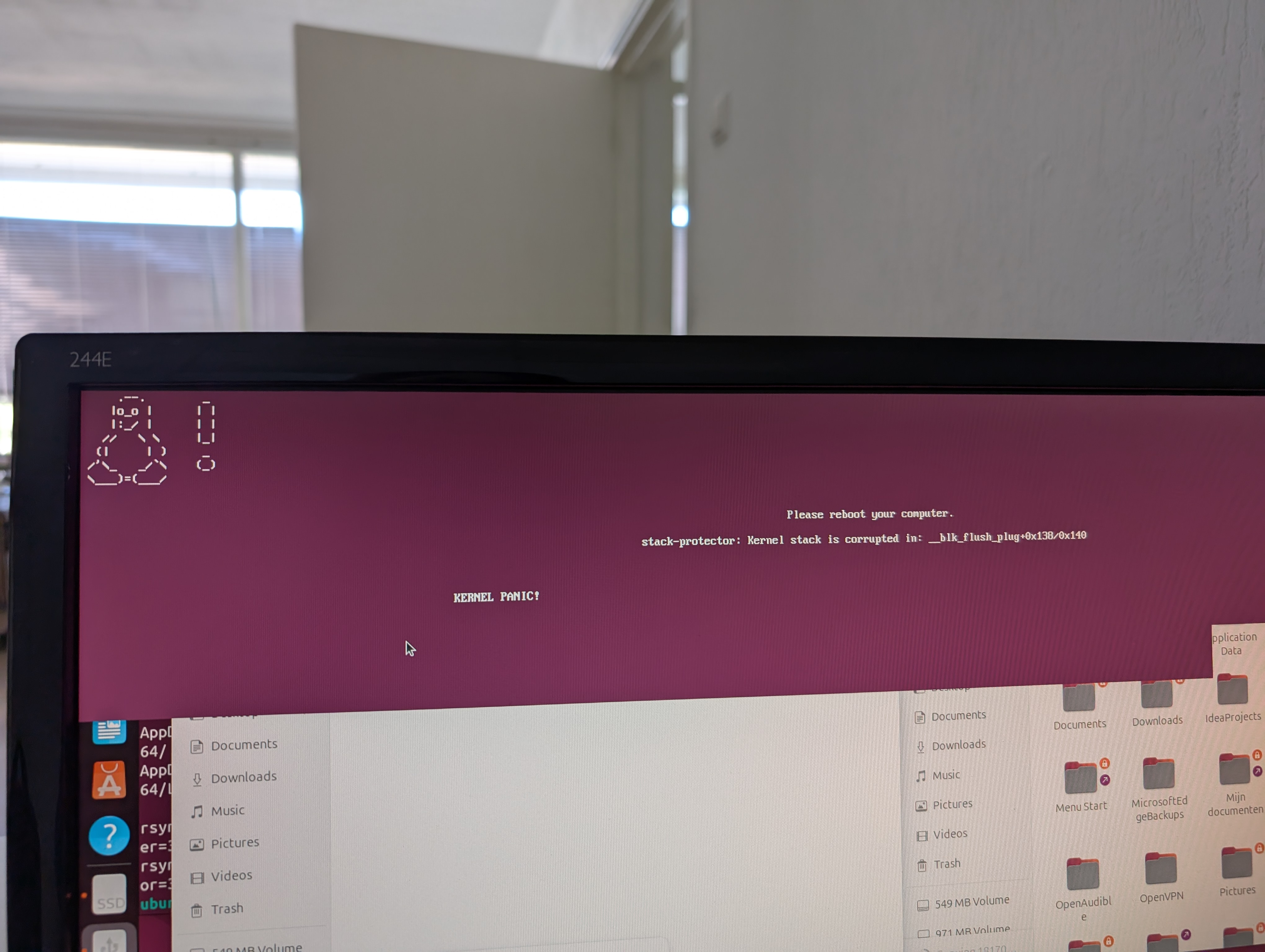
In case I forgot setting up something else, I decided to make a backup of my AppData, because too many programs store important things in there (like save games) — I booted into an Ubuntu LiveUSB on my old PC, hooked up an external hard drive, and copied over the files. At least, that was the plan. Making a bootable USB was difficult enough, turns out my one modern-ish USB stick is having some issues. I should really order a new one. Apparently new USB sticks start at around 128 GB for ~€10. Oh how times change, I was already quite chuffed with my 128 GB SSD back in the day, and now a small USB stick has the same capacity. Getting my old PC to boot from my USB properly was a kerfuffle. I initially wanted to do the copying before removing the hard drives, but booting into Ubuntu was giving me so much trouble, I ended up just moving them and backing up the AppData later. I had already installed and set up most programs anyway. I am not sure if it has to do with the 4K monitor or something else that caused Ubuntu those issues. Regardless, I tried it again later with my old monitor attached and that worked. I set it to copy from my SSD to the hard drive, and went to bed. The morning after I was greeted by a kernel panic. I tried it again, and went to work. When I came back from work I was greeted by another kernel panic. I tried it again with a Fedora LiveUSB, and then it worked. Maybe it also helped I disabled sleep mode that time around. At least my AppData was now copied over.
But despite those minor things, everything works smoothly. It is surprising how quickly it becomes normal that things do not stutter, that games run smoothly with a high frame rate even at high graphics settings, and that the PC starts up in seconds rather than minutes.
Oh, and one last thing I did on a whim: I was annoyed by the fact that my headset would generally be somewhere in the way on my desk, especially when working from how, so I decided that if I was going to upgrade, I might as well get rid of this annoyance, and buy a headset mount. It’s made out of aluminium and quite sturdy.
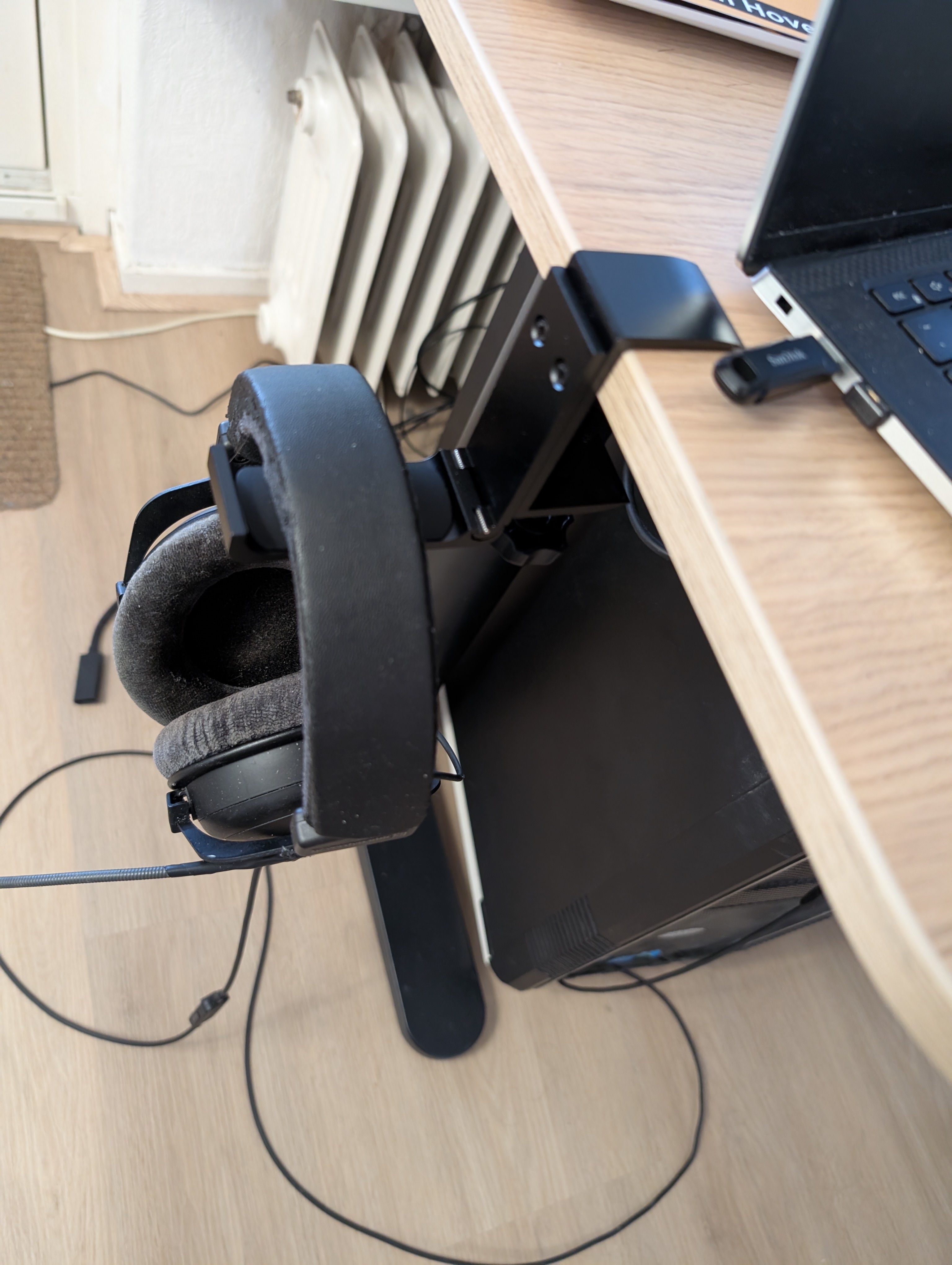
Now with all of that together — new monitors, new PC, headset mount, and miscellaneous things, my working from home spot feels a lot nicer. Of course this story is not finished yet, because I will always come up with something new. For example, now with my new PC, I have noticed just how slow HDDs are, and I am tempted to replace my two 4 TB HDDs with an 8 TB SSD. I am also contemplating moving my landline (yes, I still have one) to my desk, now that I have the space for it. It helps the slightly uncomfortable feeling of pulling the cord too far that you currently have when calling, as it is on a sideboard next to my desk. Yes, it is a corded landline phone. But it still receives firmware updates, as I found out recently. But all of those are improvements for later. Right now I am just going to enjoy jumping seven years into the future hardware-wise.