
Adding a button box for my sim rig
I will preface this by saying that this will mostly be pictures. I think there’s more to show than there is to say.
I like simracing (driving virtual race cars). Becoming one with this machine, even if it’s virtual, is a blast. Over the years I’ve expanded my setup - from a wheel clamped to my desk to a dedicated setup with bells and whistles.
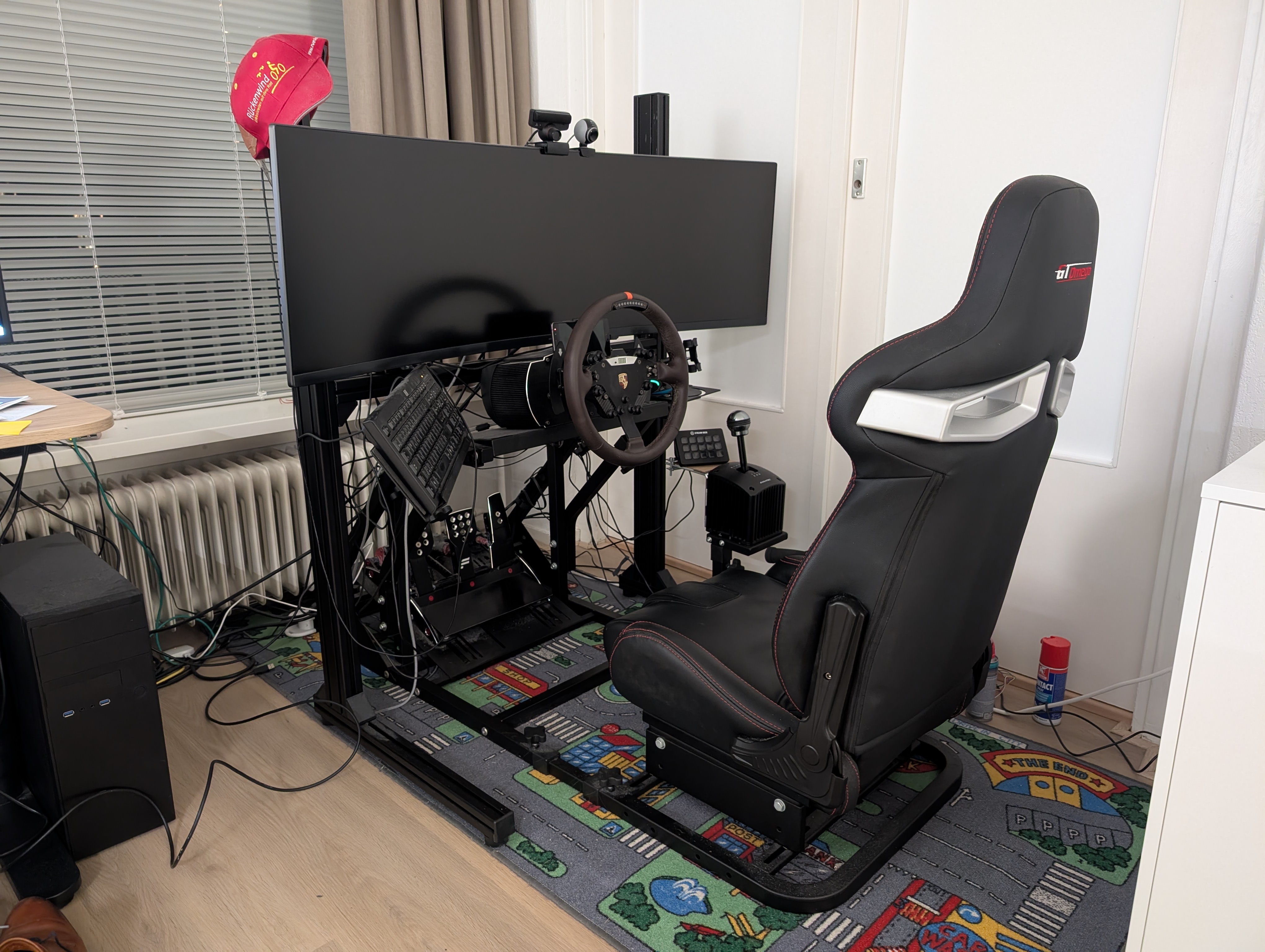
I like my setup, but I always still had one thing on my wish list: a button box. For all actions in the virtual world, you need a button. I have a couple on the wheel, but often that is not enough. I can always use the keyboard, but it’s difficult to use that blindly. And when going very fast, you want to be able to hit it blindly.
During my Christmas break, I decided to finally make this a reality. I spent a long time finding a button box - there are many available, and I could also make one myself. What kind of buttons do I need? What do I want? Where will I mount it?
That last one was quite simple: I wanted something behind my gear shifter. I had a similar thing with my G27 shifter, and I quite liked that. I figured I could DIY a mount myself.
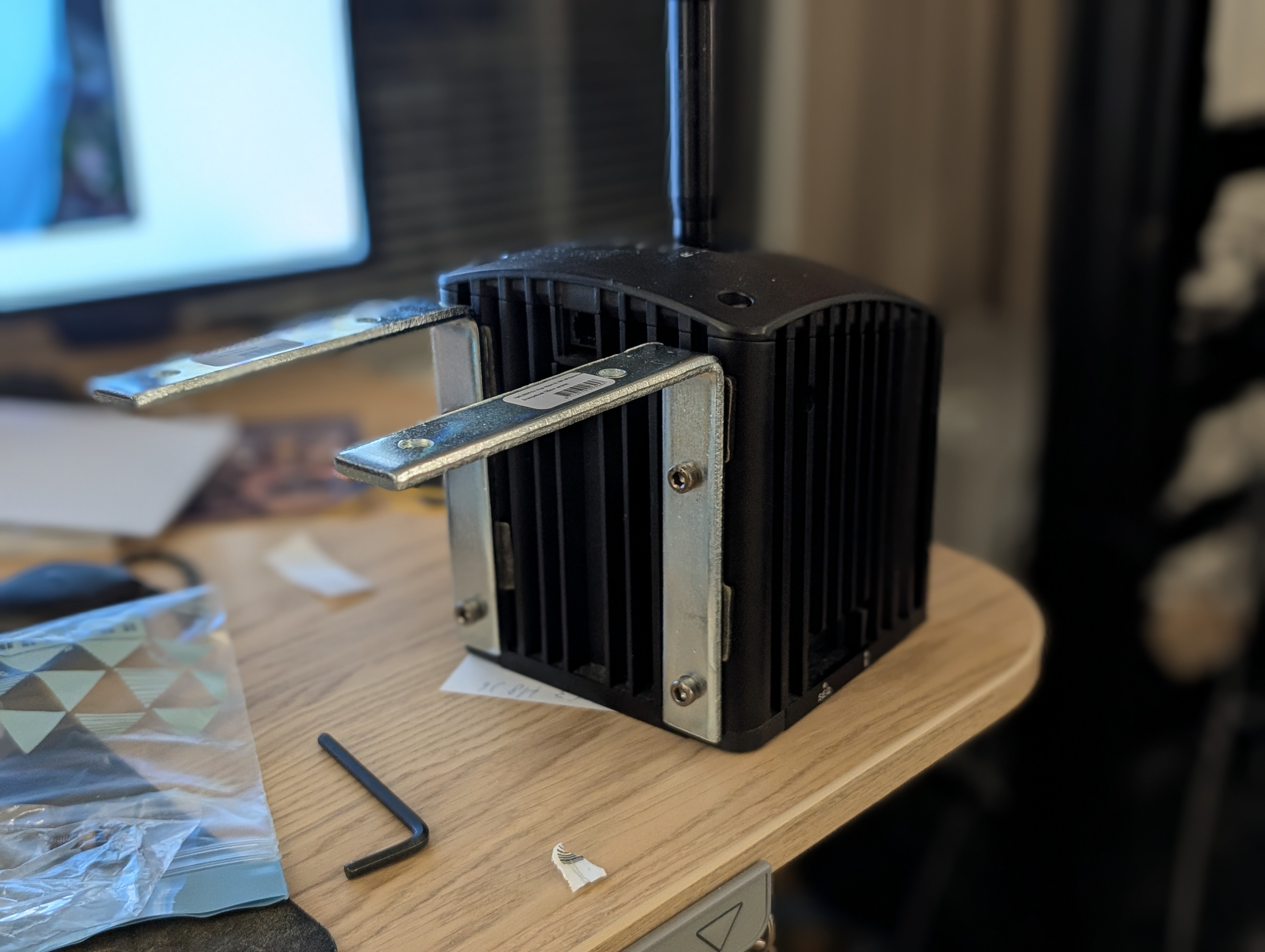
It’s surprisingly difficult to find online what part in the hardware store would work for this. In the end I found this: these are two wood corner connectors - not the first thing that would come to my mind, but they work really well. The mounts on the back were there already.
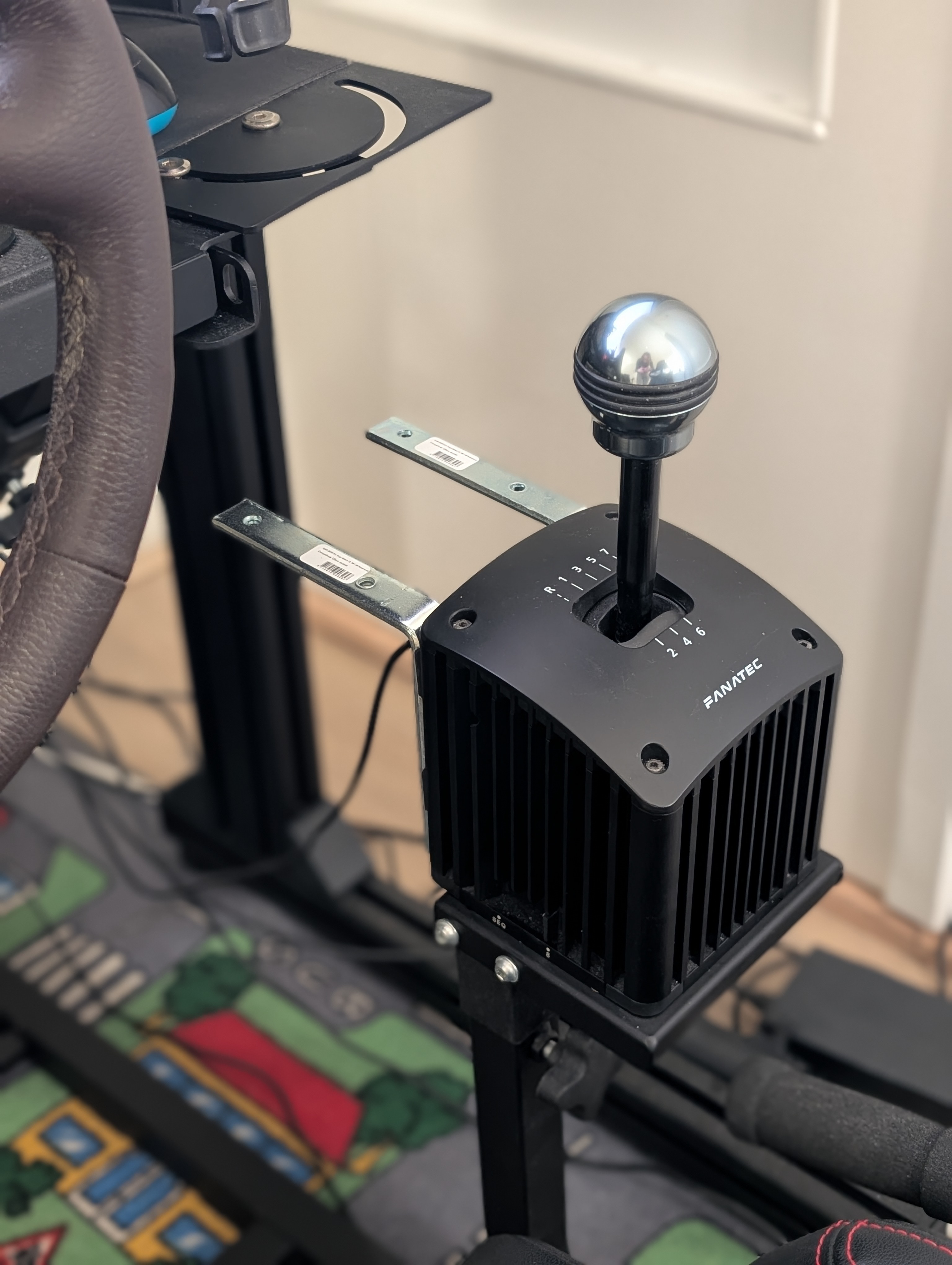
As you can see it’s quite closely packed in that area so there is not that much room to play with. Still, I had not decided on a button box yet. Then I found the Elgato Stream Deck, measured it, and: it would fit perfectly. The price compared to other pre-made button boxes is quite cheap, and the fact it is an LCD that allows me to display my own thing was a nice touch as well. I ended up buying one second hand.
In order to mount it I used two straight wood connectors again, some rubber protectors, and two screws and bolts to clamp it onto the stand. A bit of cardboard makes it a nice plateau (although I don’t think it’s technically necessary). It was far more solid than I initially expected. I was really happy how this small DIY attempt turned out.
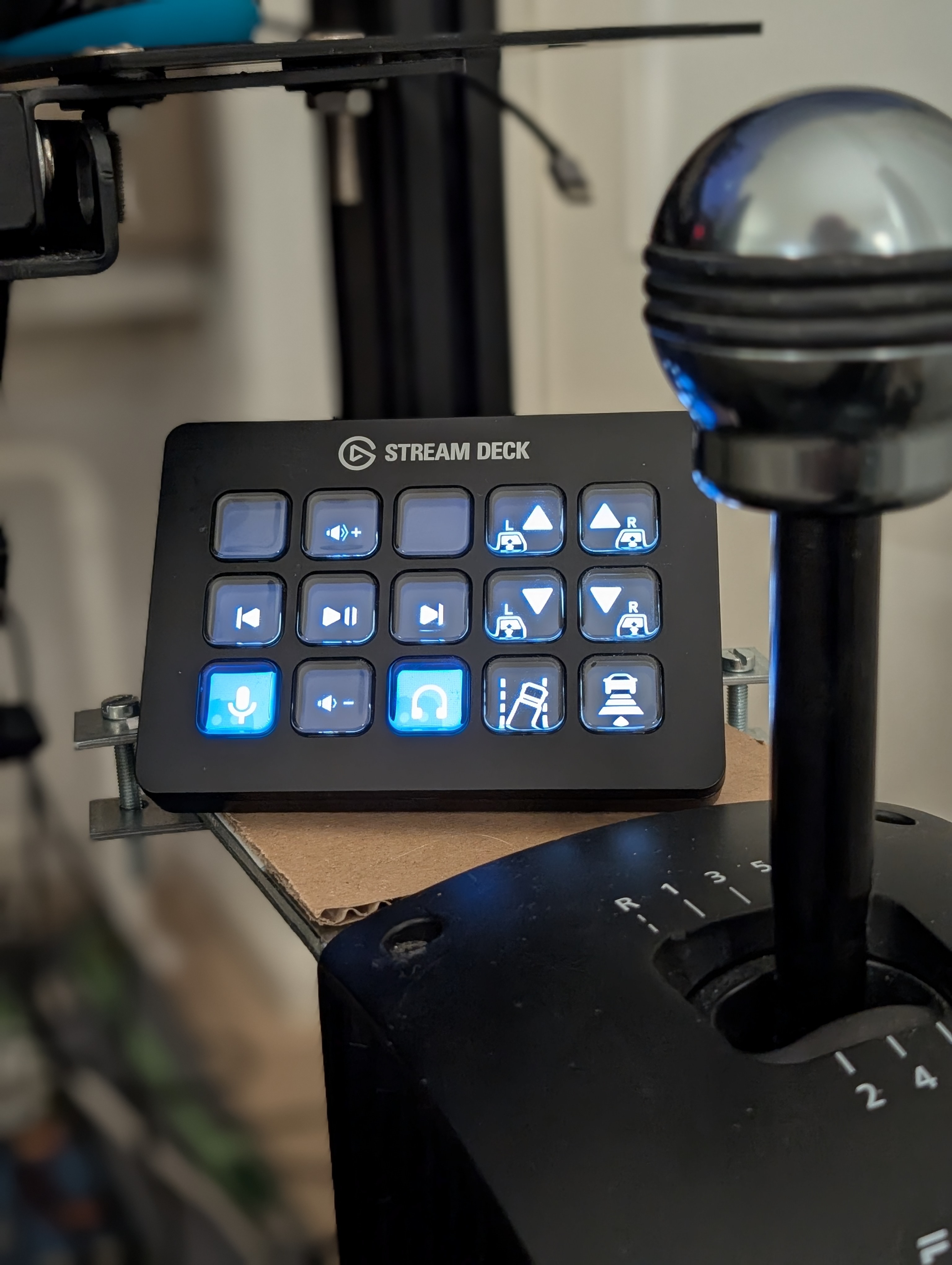
And then I had my button box, and I could assign buttons to actions, but surely it could do more. I decided to see how difficult it would be to display other things as well. I decided to see if I could turn the entire button box into a giant race flag display.
It turns out the plug-ins for the Elgato Stream Deck work by creating a WebSocket connection to the main application, so it is not dependent on a specific language. I decided to create mine in Python.
Fairly quickly it worked, and this is the result:
All in all I would call it a success. And like DialNS it was a fun Christmas project.