
DVD menus and Tamagotchis
For a long time I’ve been fascinated by DVD menus. VHS tapes and streaming video just start when you insert them (as long as they last person remembered to rewind them), which is functional but boring. DVD menus always felt like tiny works of art. Plus I was curious just how much you could do with them. In the end I made DVDgotchi:
Here’s where it started: I try to do fun things with and around DNS. Last year I made a physical book with 600 pages of domain names and IP addresses, a phone number you can call to resolve DNS A records, and a DNS resolver over rsync. My initial plan was to do something similar with DVDs, and call it DvdNS. Sure, a DVD player cannot connect to the internet, but I could do that locally and just write the known data to the DVD.
First thing I made was a keyboard. That’s where I ran into the first issue: there is a maximum number of displayable buttons in one single menu, and the number row would no longer fit. Storing text input is surprisingly simple. DVDs come with 16 general purpose 16-bit registers, g0 till g15. You can make a button press store that character (e.g. its ASCII code) into one of the registers, and then move a pointer to the next, etc. etc. You can do it more efficiently and use less of the fairly precious registers.
There is however one thing I ran into: I had no real way to display your input. You can branch on the registers, but there is no real way to display the contents dynamically. The only way you can work around that is consider all the possible combinations of variables, and render the outcome for them as some sort of video or menu. As you can imagine, that does not scale well. DVDs also have a limit to the amount of menus and titles, which you will run into very quickly if you try to actually implement a keyboard. You could partially work around this using subpictures, but guess what buttons are? Every possible subpicture you want to display goes in the place of one button, and you could only use ~32 of them on one screen anyway.
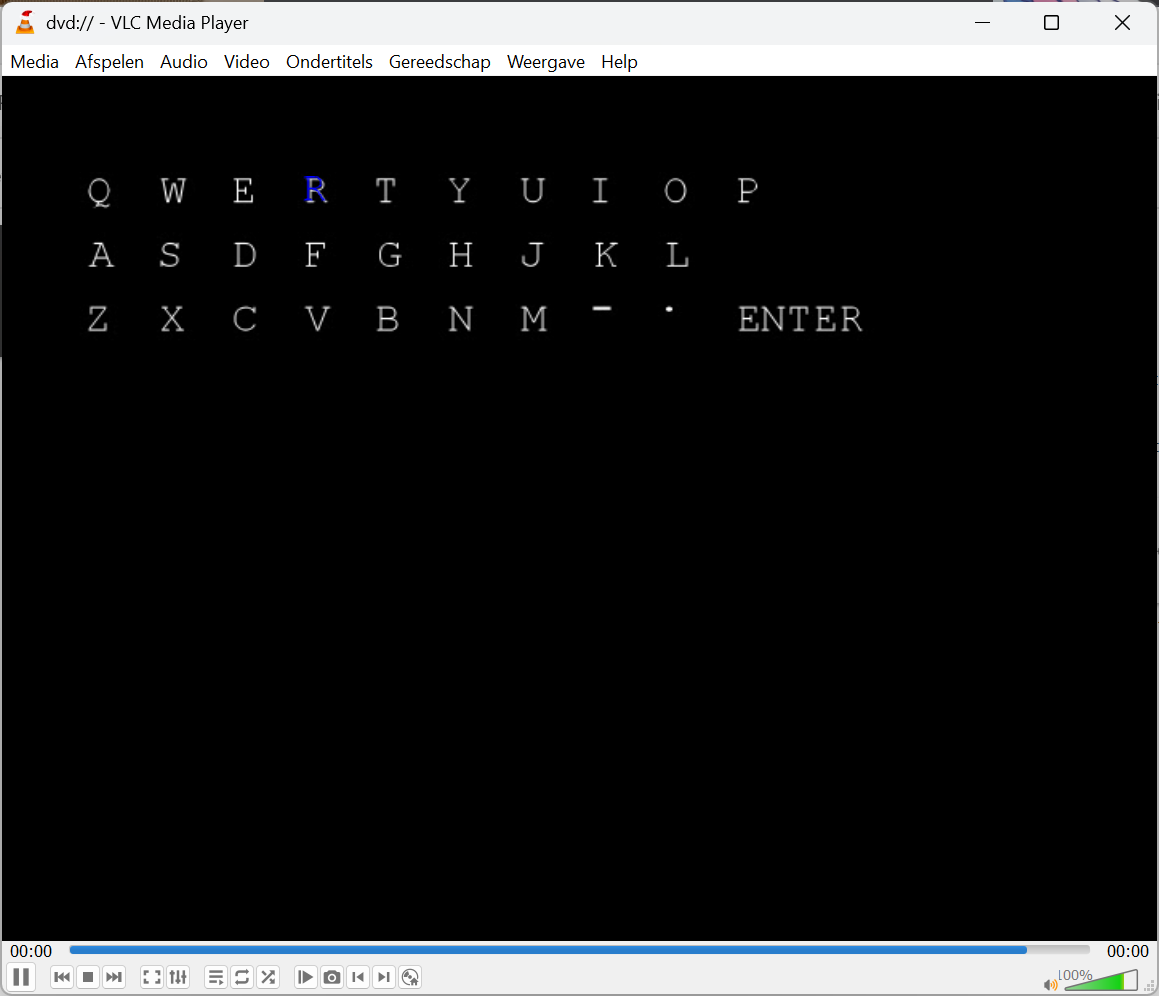
I could decide not to show your current input, but then once you press “enter” you want to get some sort of output. In the case of DvdNS that would have been the records for that domain. I considered encoding all possible outcomes as a frame. A standard DVD can hold about two hours of video. ~2 hours × 25 frames per second ≈ 180000 possible outcomes. A lot, but still not that many, especially if you also have to account for all the cases where there is no result. Maybe I will revisit that idea at some point, but for now it’s a dead end.
Back to the drawing board. My second thought was that a LucasArts-style adventure game would probably work quite well for this. Limited options, limited items to interact with. Either you have the thing(s) and you can solve the puzzle, or you need more things to solve the puzzle. I think this is still technically feasible, I just don’t have the pixel art skills to pull it off.
I needed another idea. In my exploration of the DVD standard there was one thing that something stood out: the random function. You can generate a (psuedo) random number and use it to jump from. For some reason my mind went to Tamagotchi, which is how I ended up making the DVDgotchi. The idea was simple: some buttons to increase some values, and then randomly decreasing those values over time.
I started looking for the original Tamagotchi animations, but they are surprisingly hard to find. I decided to use Microsoft Rover instead, which was the dog that helped you search in Windows XP. I had access to modern technology after all, like colour, and a nearly HD amount of pixels! Luckily those frames were already ported previously for a project called ClippyJS, which is Clippy and friends in Javascript.
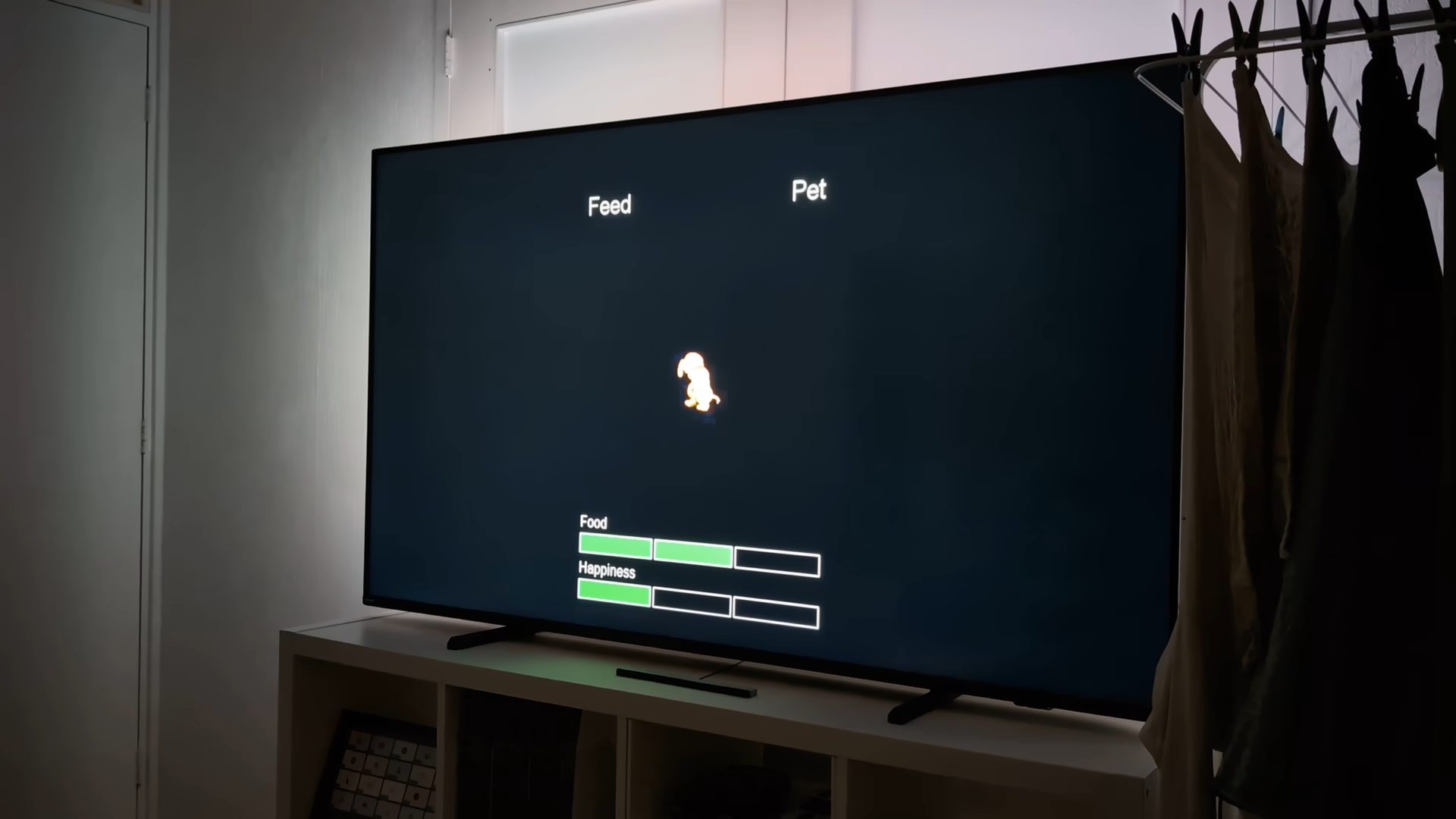
I only added petting and feeding. I could have added another bar theoretically, but two felt right. I had to do some trickery to get the DVD to compile, because my initial plan of cycling through all animations randomly did not work. Each animation existed as nine video files, for the nine possible states. They are ordered, so I could just generate a random number for the amount of animations I had, and then calculate the offset to make sure you have the version with the right number of food and happiness bars. This is what that looks like:
g2=random(25); // There are a total of twentyfive animations
g3=((g2-1)*9)+((g4-1)*3)+(g5-1)+1;  // g4 is food level (1-3), g5 is the happiness level (1-3)
So far so decent. Sure, everything starts counting at 1 (which I initially forgot), but that’s not the annoying part. You can jump to another menu using jump vmgm menu 4;, but you can’t jump to menu g3 + 2 (or g3 for that matter) . This means you end up with something like this:
if (g3==1) { jump vmgm menu 3; }
if (g3==2) { jump vmgm menu 4; }
if (g3==3) { jump vmgm menu 5; }
if (g3==4) { jump vmgm menu 6; }
if (g3==5) { jump vmgm menu 7; }
if (g3==6) { jump vmgm menu 8; }
[...]
There is a maximum number of commands you are allowed to have per menu (although you can jump to other menus to creatively work around that), and this really increases that value. In the end I decided to combine some of the animations so that I ended up with a more manageable set. The errors for this would only appear after compiling, and compiling also involved encoding the video. Basically, it would take several minutes before you can find out whether it’d actually work. I considered trying to max it out, do some interesting trickery, but in the end decided that it was not worth the effort.
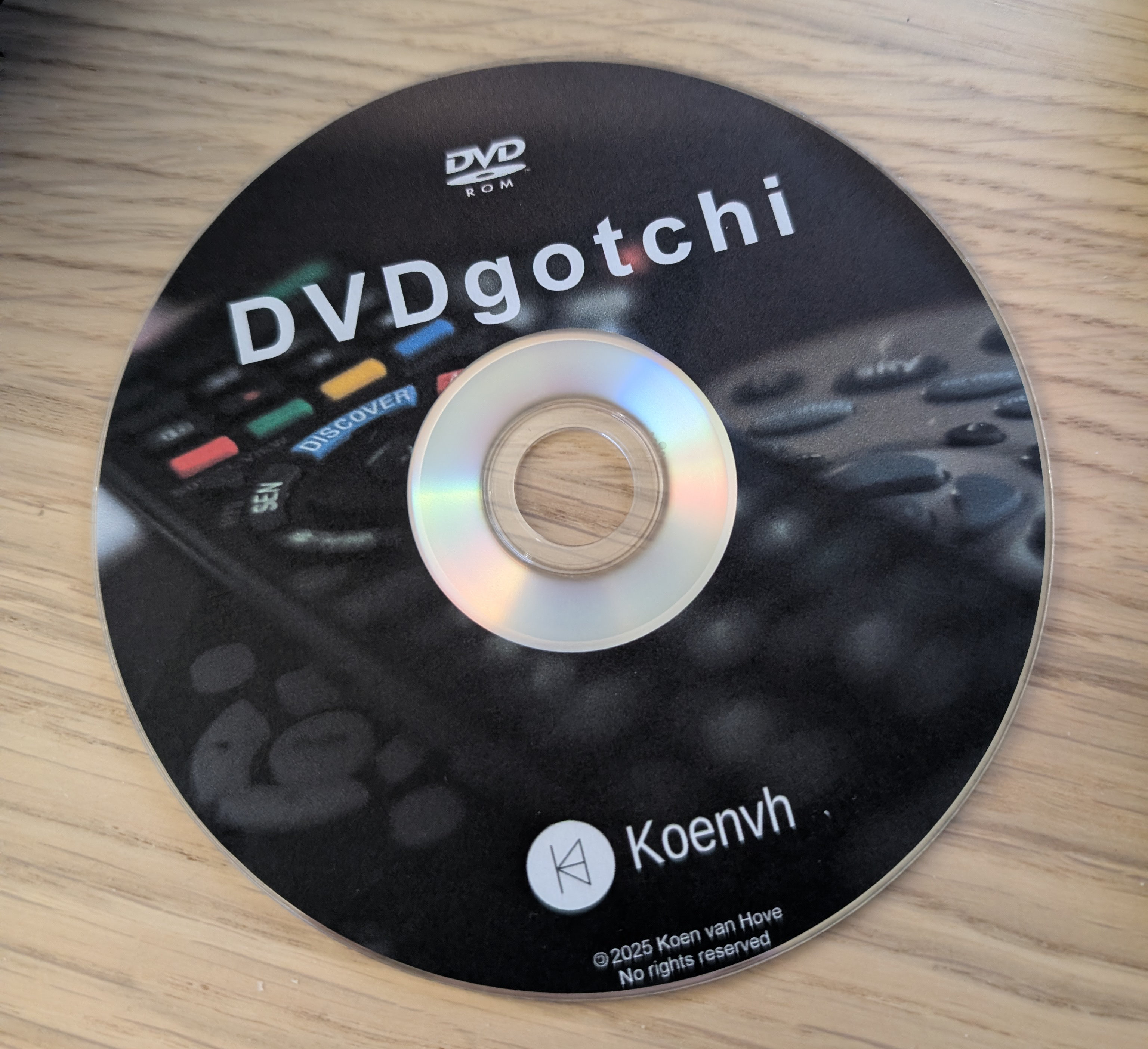
Of course I could not create a DVD without actually burning it onto a DVD. Everyone has a stack of writeable DVDs somewhere… apart from me. Turns out buying those is not as easy as it once was. In the end I had to order them online. Back in the day I had a LightScribe DVD writer, but those DVDs are now very costly, so I opted for DVD stickers instead. I am quite pleased with the result, though I would have liked a more time period correct background picture.
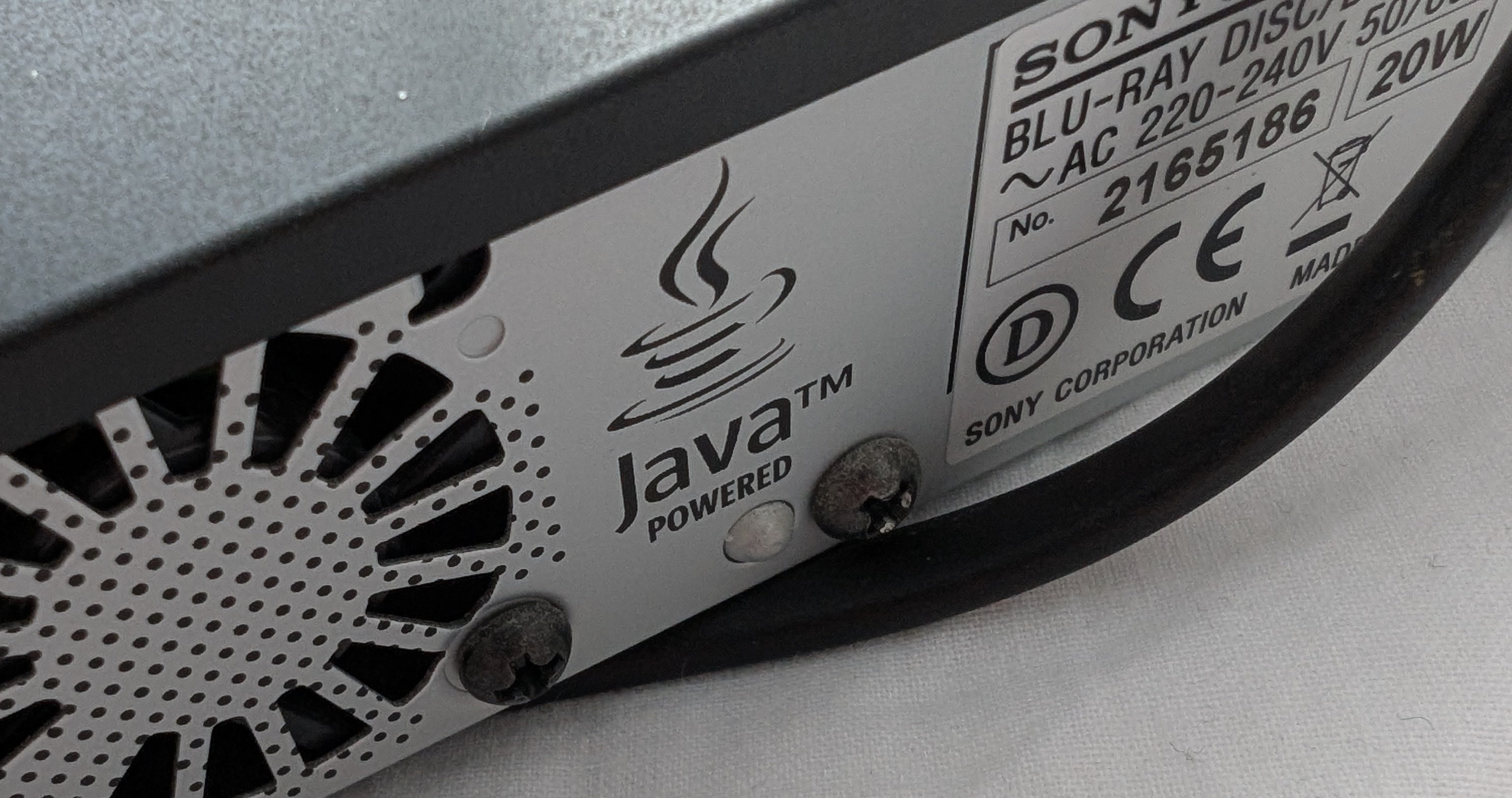
Now I had a DVD… but no DVD player. Again a sign that this project might have been easier 10 or 15 years ago. Luckily my parents had a DVD player (or actually blu-ray player) left over. I was slightly amused to learn that it apparently runs Java:
Even though calling this a “game” is quite a stretch, it’s admittedly still quite fun to “play” something on a DVD player that is not just a video. If your hands are itching to give this a try, you can! https://github.com/Koenvh1/DVDgotchi has the source code and the ISO you can burn on your own DVD. You might have to convert it to NTSC if your DVD player is region locked and you’re outside the PAL region.
If you know more about how DVDs work, do let me know! I found all information based on forums that are still online and webpages other people made, but sadly half of the links are now dead (much like most Tamagotchis). Maybe I overlooked something that suddenly opens an entire new world of possibilities (like the DVD angle feature).