
Streaming on a Stream Deck
If you have read my blog before, then you know that I bought a Stream Deck a bit under a year ago. You also probably know that I like doing silly things with software. My Stream Deck was an excellent candidate for this. tl;dr: I ended up turning my Stream Deck into something I can stream video to, here’s a demo and a link to the GitHub repository: https://github.com/Koenvh1/ScreenDeck.
The tinkerer inside me had been interested in seeing what was possible with the Stream Deck from the moment I bought it. My version consists of fifteen 72×72 pixel LCDs that also act as buttons. I had already previously toyed around with letting multiple buttons work in unison, which worked, but now I was wondering if I could update the image often enough to make smooth video work.
Admittedly in hindsight it was all quite simple, but when developing for the Stream Deck it becomes quite apparent you’re not meant to make multiple buttons interact, so quite a bit of time was spent on setting up the framework to get that to work. The Stream Deck plugins work by starting a program with some parameters, and then communicating to the main application over a websocket. Every button added has its own unique ID, and if you have that ID you can use it to change things like the current image, etc. Is it really fast enough to send 15 images over a websocket, preferably at at least 24 frames per second? That’s 360 calls to change images per second. I was sceptical that it was possible, but to my joy: it was! I initially tried it with a static image that I just moved the position of.
Initially my plan was to turn the Stream Deck into an extra monitor that you could put whatever you wanted on. This plan fell through when I saw that it would likely involve signed drivers, and it would be a kerfuffle to set up. Additionally, the resolution is fine, but would likely be too low to show a desktop on. And scaling it would make it even worse for legibility. I quickly afterwards ended up with video. And luckily StreamLink is another Python library that does most of the heavy lifting of getting an M3U8 stream. Quite a few of the integrations do not seem to work, but the Twitch one did, and that’s all that mattered.
In the beginning I ended up with Pillow, a Python library for manipulating images. This worked fine for the static image, but I also needed something to get the frames from the video. Luckily Python has a lot of libraries, one of them being OpenCV (where CV stands for Computer Vision), which was absolute overkill for this project. I implemented that, rewrote the Pillow parts to OpenCV, and it worked! Again this surprised me, as I was worried I could not cut out and resize 360 calls per second. This is what that looked like:
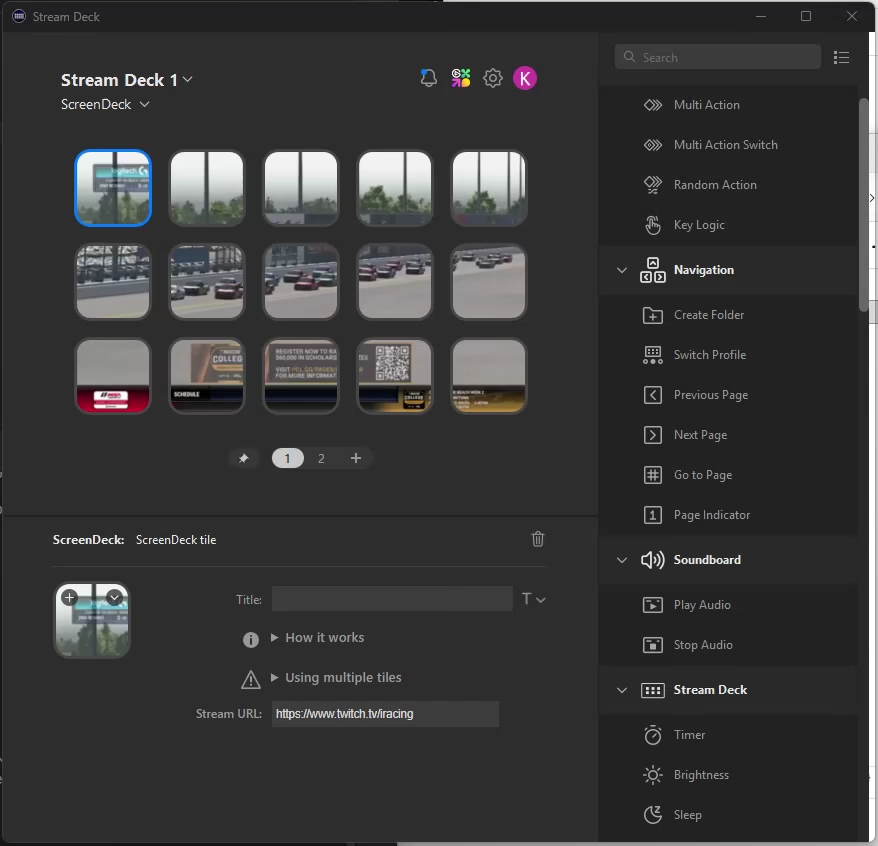
There was only one problem with this approach: the audio was missing. Turns out OpenCV does not support audio at all, and even suggesting that you want to get the audio stream yourself is not possible. Looking back I should have checked this from the start. So let’s rewrite everything again, though this would be the last time. I went for ffpyplayer. It is another library that is great and awful at the same time. The documentation is lacking, and there is no control over the audio (it just plays once the stream is loaded), but everything works flawlessly. I can even just feed it the M3U8 stream URL. I spent quite a bit of time of trying to get the audio and video to sync up — all this time I thought the video was lagging behind the audio, turned out I was actually getting the frames faster than the audio was playing. Whoops… That was luckily a simple fix, and in hindsight it was in the ffpyplayer documentation.
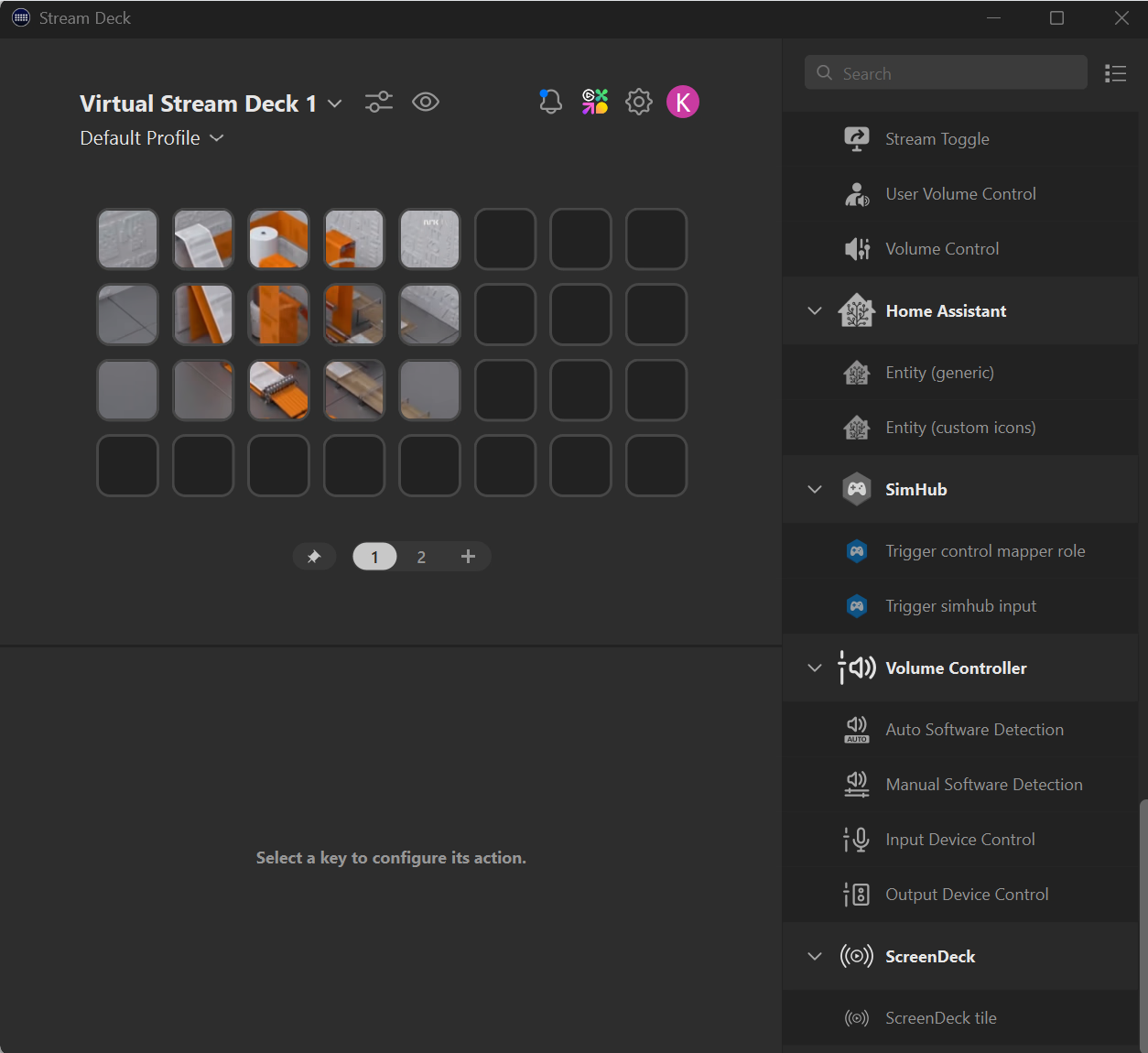
I also added better support for closing the Stream Deck, opening other tabs, etc. And in the process I also added support for on-the-fly resizing:
The StreamDeck SDK that I used was one that someone made for Python. It has a bit of a quirk though: by default it requires you to have Python installed, as it will create a virtual environment, install the dependencies, and then run itself on the fly. I did not like that system, so I rewrote it to compile the Python part with PyInstaller, which worked well after a few tries.
There is however one problem with that: apparently some people make malware in Python (no idea why), and then they use PyInstaller to make an executable of that. As a consequence, some antivirus programs mark every executable made with PyInstaller as virus. The internet provides several potential solutions, such as compiling PyInstaller yourself to get a different signature, but without luck. So I could put all of that effort in the bin, and I ended up shipping an embedded Python. A very ugly solution, but hey, it works, and that’s the important bit. I put it on the Elgato Marketplace, which, with the embedded Python version, was quickly accepted.
The response was quite positive, and people actually started using it. Whoops, I made it for fun, but now there are actual feature requests. Nothing too special or difficult to implement: just more generic streaming support and a way to change the volume, which was simple enough.
Unless more feature requests come in that’s probably how this project will stay, because debugging is a bit of a pain and I have other things that have more use. It was still fun to make though. In case you are wondering: I rarely use it myself, but the fact that I can use it myself is good enough.